Put your brand on the app
Set your colour, logo and corner radius so the app your team opens looks like yours.
White-label puts your own colour and logo on the app, in place of Logable's.
Who can do this#
Only an owner can change branding, and your organization needs the white-label entitlement. Logable turns this on for you. If it is off, the Branding tab shows this instead:
Set the brand#
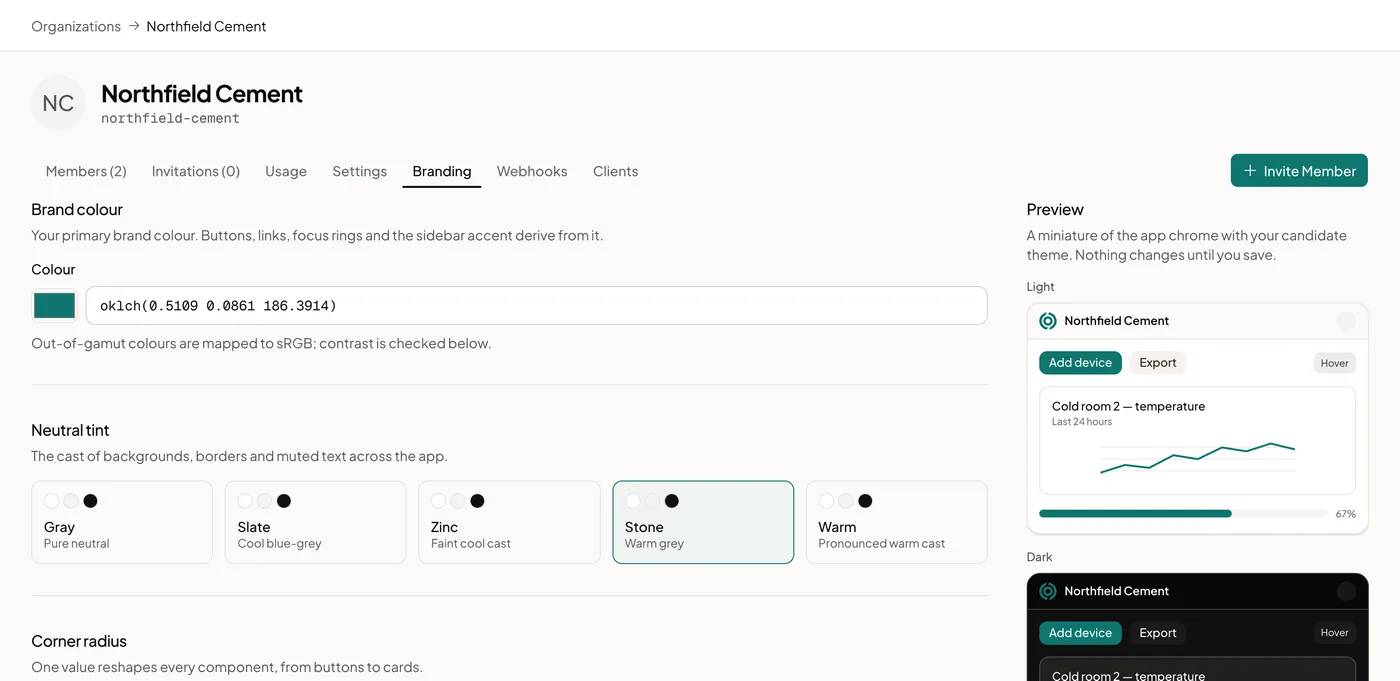
Open Organization and select the Branding tab.
- Brand colour: your primary colour, as a hex code or an OKLCH value.
- Neutral tint: the grey used behind your brand colour. Choose Gray, Slate, Zinc, Stone, or Warm.
- Radius: how round corners are across the app, from square to fully rounded.
- Logo and Logo (dark): your logo for the light theme and the dark theme.
- Show org name: show your organization's name next to the logo, or hide it.
Select Export to save your brand as a file, Import to load one back in, or Reset to return to Logable's own look.
Your organization's name is set on the Settings tab.
What changes#
Your brand colour carries through buttons, links, focus rings, and the sidebar accent. Your logo replaces Logable's in the header. Logable checks the contrast between your colours before it lets you save, so text stays readable.