Every belt, live.
Tonnes per hour on one screen.
A belt weigher already measures rate, belt speed and load. A gateway reads the indicator and publishes the numbers to Logable, so three makes of scale land on one dashboard.
- Any integrator
- the gateway reads the indicator
- One dashboard
- three makes of scale, side by side
- A stopped belt
- does not wait to be found
Three belt scales, three portals, none of them open.
Each integrator ships software that shows its own scale. A plant with three makes has three screens in the weighbridge office, and Quarry Conveyor stops at 02:00 with nobody in the room.
- Rate and total togetherWhat the line is doing now, and what the shift has moved, on one screen.
- A stopped belt is an alertBelt speed near zero for fifteen minutes reaches whoever is on shift.
- Every make on one boardThe dashboard reads the device, not the vendor's portal.
The belt, the scale and the drive
A belt scale reading means more beside the drive that turns the belt and the weighbridge at the end of it.
A belt that stops tells the shift itself.
Rate, belt speed, load on the weighed span and the indicator's running total.
A weighbridge reading lands beside the belt it feeds.
Gross weight from the weighbridge indicator, on the same board as the belts.
A drive heading for a trip is visible before it trips.
Speed, power draw and winding temperature on the belt's own drive.
What a belt scale already outputs
Load times speed is rate, and the indicator does that arithmetic. Four values move from its display onto a screen anyone can open.
| Reading | Unit | What it tells you | Where it comes from |
|---|---|---|---|
| Rate | t/h | what the line is doing right now | the belt scale indicator |
| Belt speed | m/s | whether the belt is running, slipping or standing | the speed sensor on the tail pulley |
| Load on the belt | t | how close the belt is to its rated maximum | the load cell under the weighed span |
| Totalised tonnes | t | what the shift moved, without walking to the indicator | the indicator's own running total |
| Gross weight | t | what came in or went out on the weighbridge | the weighbridge indicator |
From the indicator to the control room and the phone
The belt scale indicator holds the numbers. A gateway polls it on the plant side and makes one outbound connection on the other, so the readings reach the control room and the phone at the same time.
- Belt scaleRate · Speed
- Modbus RTU
- GatewayPolls · Publishes
- MQTT, encrypted
- Logable CloudRules · History
- LivePush · Email
- Control roomLive · Any browserPhonePush · 02:00
One Logable device is one weighed belt. A gateway that polls three indicators publishes to three device topics, which is what gives each belt its own alerts and its own history.
The gateway between the indicator and Logable
| Protocol | How it reaches Logable | Notes |
|---|---|---|
| MQTT | Direct to Logable | The gateway publishes to Logable over MQTT with TLS, on port 8883. |
| HTTPS | Direct to Logable | A gateway or a logger can post the same reading to the Logable API instead. |
| Modbus RTU | Through a gateway | The indicator's RS-485 output is polled by the gateway, never by Logable. |
| Modbus TCP | Through a gateway | An Ethernet indicator is polled by the same gateway. Logable stays above it. |
Modbus is a polling protocol on a local network, and it was never meant to leave the plant. The gateway polls the registers on the plant side and makes one outbound TLS connection on the other. The register list comes from the integrator's manual. See how to connect a PLC or a Modbus device via a gateway.
Belt scale integrators in South Africa supply the indicator and the calibration, and they rarely supply a way to see the number anywhere but the weighbridge office. A gateway from a local supplier closes that gap without touching the scale or its calibration.
The belt's own live reading
Rate, belt speed and load for Quarry Conveyor, read the way every belt in Logable reports: one device, one page, updating on its own.
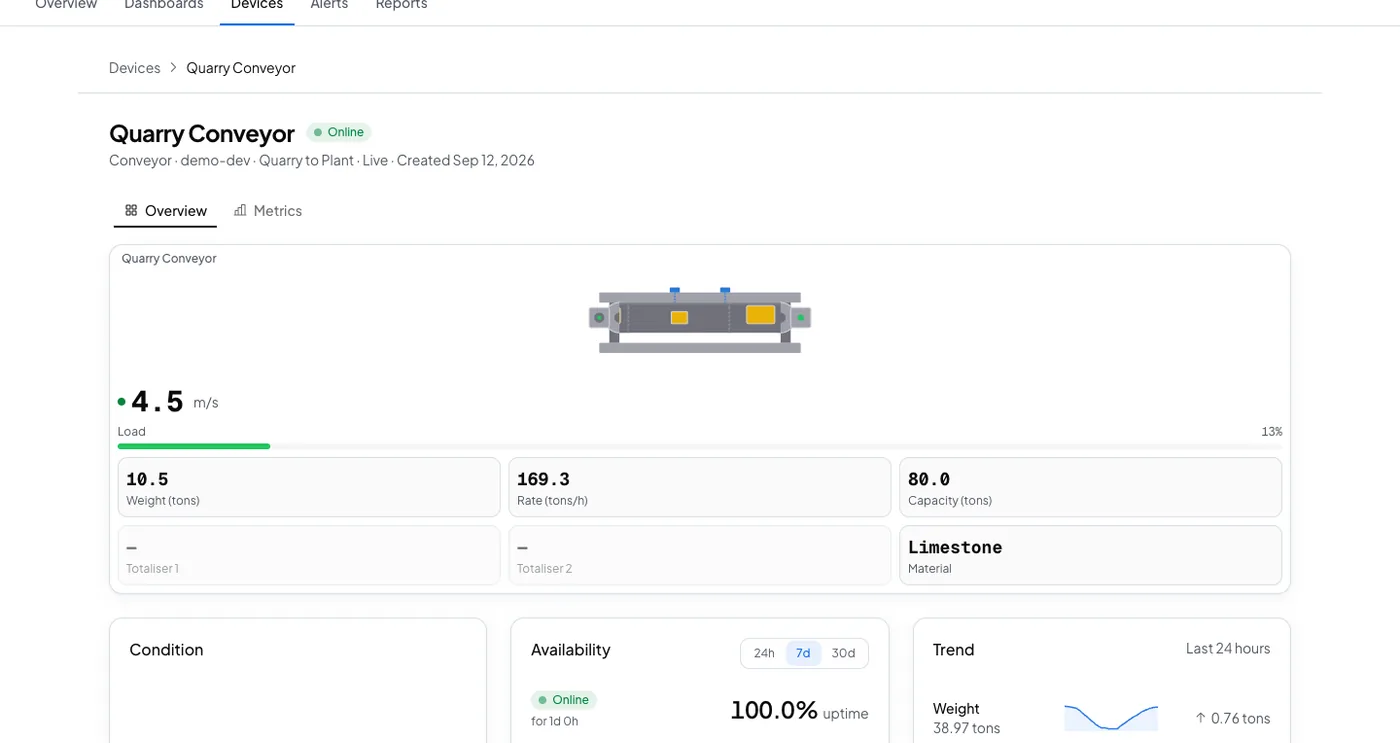
The belt tells you it stopped. Nobody walks out to find it.
The indicator already knows the rate, the speed and the load. Logable reads it, keeps it, and raises the alert.
The alerts a belt is worth having
Four presets cover a belt that stops, a belt that is overloaded, a belt that slows, and a belt that goes quiet.
- Belt stopped
Tells you when the belt stops moving. Only add this to a belt that is meant to run continuously. It will also fire on planned stops.
- Belt overloaded
Tells you when the load on the belt reaches 90 % of its rated maximum.
- Below normal belt speed
Tells you when the belt drops below 70 % of the normal speed set on this device, for ten minutes.
- Not reporting
Tells you when this device stops sending data, and again when it comes back.
The belt stops at 02:00. The shift hears about it.
Belt speed stays near zero for fifteen minutes and the push reaches whoever is on shift, with the belt named in it.
- The belt, not just a pingThe push names the belt and what it is doing, so the walk out is a fix.
- A planned stop costs one alertAcknowledging stops the reminders, so a planned stop is not a stream of notifications.
- The load, before the damageOverload fires at 90 percent of the rated load, in time to slow the feed.
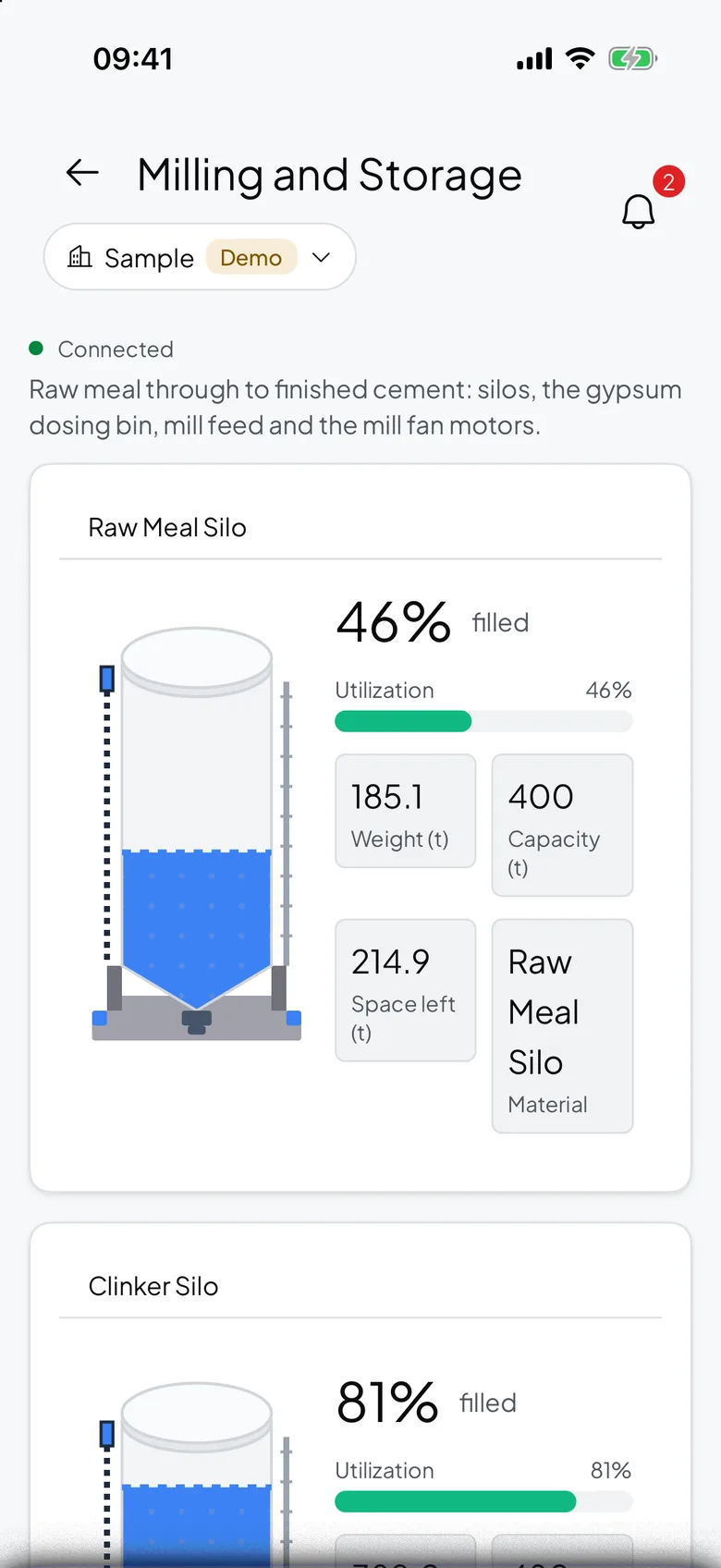
What goes wrong, and what changes
Three failures a weighbridge office finds late.
| What happens | What you see today | What Logable does |
|---|---|---|
| The belt stops on night shift. | It is found at the handover, with hours of production gone. | Speed near zero for fifteen minutes raises a phone alert.Belt stopped |
| The feed runs the belt over its rated load. | The gearbox or the motor takes the strain until something fails. | The overload alert fires at 90 percent of the rated load, in time to slow the feed.Belt overloaded |
| The gateway drops its link. | The portal shows the last reading and looks healthy. | The not reporting alert names the belt that went quiet, and says when it returns.Not reporting |
What Logable needs from your belt scale
Belt scale integrators from Belt-Way, Thayer Scale, Rice Lake, Siemens Milltronics, Multitrack and SWSCALE all ship an indicator with a serial or Ethernet output. Where that output is Modbus RTU or Modbus TCP, a gateway reads it and Logable sees the belt as a normal device. Check the integrator's manual for the register list and for which output option your unit carries.
What it costs to watch twelve belts
Sized by how many devices report, not by how many makes of scale you run.
The trial runs 14 days with 5 devices and Growth features, and asks for no card. Industry plans are quoted per site.
The gateway is bought once from your supplier and is not a Logable cost. The belt scale and its calibration stay exactly as they are.
Frequently asked questions
What teams ask before they connect the first device.
The indicator already holds rate, belt speed, load and a totaliser. A gateway polls those registers and publishes them to Logable over MQTT. The dashboard updates live, and every belt on the site lands on the same board.
Any belt scale whose indicator exposes weight, rate and belt speed over Modbus RTU or Modbus TCP. That covers the usual integrators, including Belt-Way, Thayer Scale, Rice Lake, Siemens Milltronics, Multitrack and SWSCALE. Check your own unit's manual for the output option it carries and for the register list.
No. Logable shows live gross weight from the indicator you already own, on a dashboard, with history and alerts. It does not print a ticket, it does not issue a trade certificate, and it does not replace the legal-for-trade chain.
A belt weigher measures the load on a weighed span of a running belt and the belt's speed, then multiplies the two to give a rate in tonnes per hour. It also keeps a running total. It is the instrument that tells you what a conveyor moved without stopping it.
Yes. The Belt scale line dashboard template lays out rate, belt speed and the totaliser together, which is the view an operator reads without being told how. The history under it shows the same values over a shift or a week.
Yes. The belt stopped preset fires when belt speed stays near zero for fifteen minutes straight, so a quick planned stop does not set it off. The push names the belt, and acknowledging stops the reminders.
Also for silos, bins and Modbus devices
Silo Monitoring
Live silo weight from the load cells you already have.
Learn moreWeigh Bin Monitoring
Batch weight and the alert when the feed does not stop.
Learn moreModbus Monitoring
Bridge Modbus RTU and TCP devices to the cloud.
Learn moreRunning weighed belts on a plant like this? monitoring for mining and materials or read how to monitor a belt scale remotely.
Put the first belt on a dashboard
Connect the indicator through a gateway and add the two presets that matter on day one.