Get alerted before a limit is crossed
Set a threshold rule on a device metric, choose who is told and how, and clear it when the value recovers.
A rule watches one metric on one device or stream. When the value crosses a limit you set, Logable raises an alert and tells the people you choose.
Build the rule#
- Open Triggers and select the Rules tab.
- Select Create Trigger.
- Give the rule a Name your team will recognise, for example "Raw Meal Silo low level".
- Set Target to Device and pick the device.
- Pick condition type Threshold.
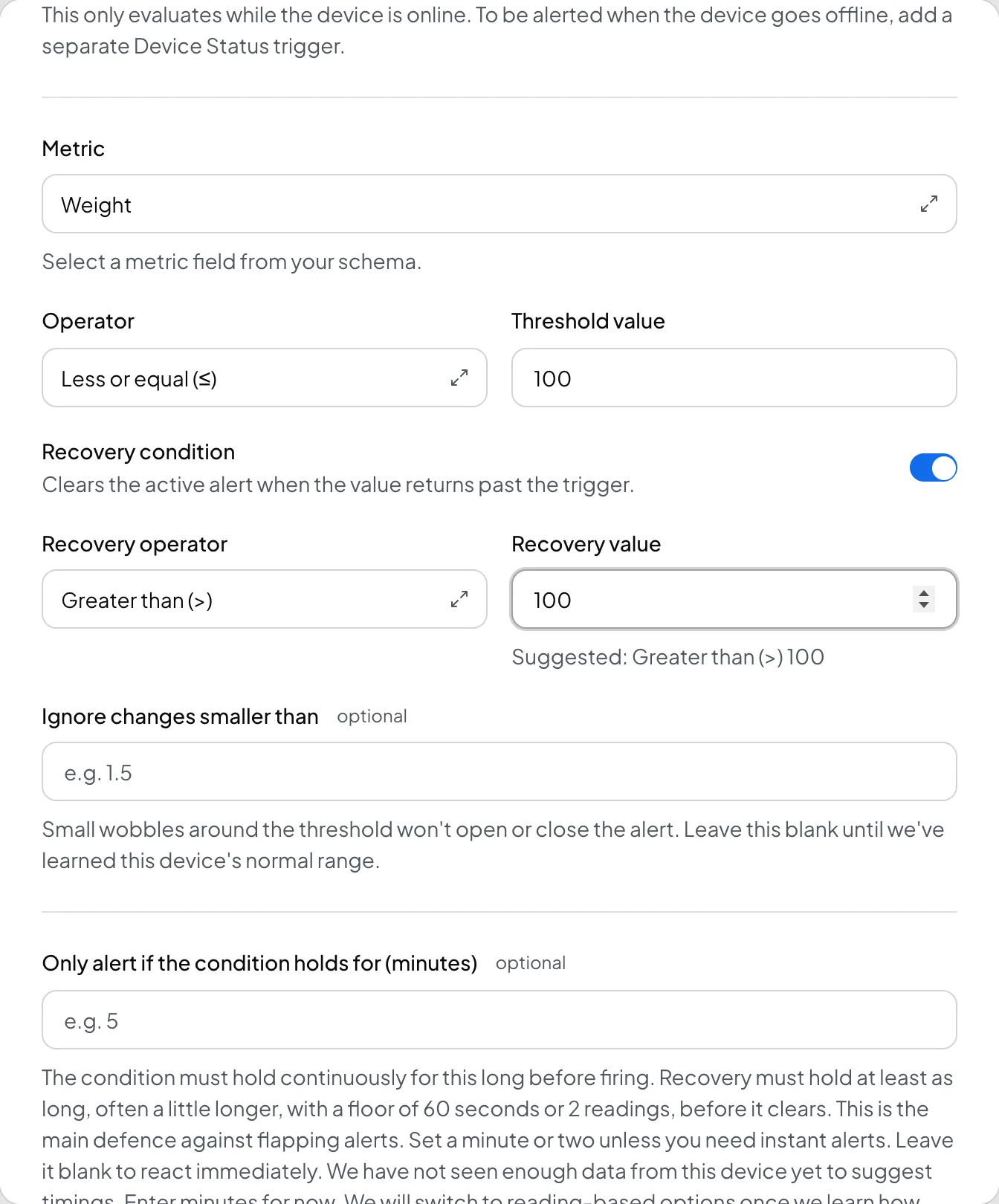
- Choose the Metric, the Operator, and the Threshold value.
- Turn on Recovery condition if you want the alert to clear itself when the value crosses back past the trigger.
- Set "Only alert if the condition holds for (minutes)" to how long the value must stay past the limit before Logable raises the alert. Logable has not seen enough data from a new device yet to suggest timings, so this starts as a number of minutes. Once Logable has learned the device's cadence, the field becomes a count of readings, with Straight away as the default.
- Set Severity to Info, Warning, or Critical. Critical is the only severity that gets through quiet hours.
- Choose the Alert behaviour: Active alert (track & resolve) or Notify once.
- Choose Repeat: Tell me once, until it clears, Every N minutes, or Keep reminding me until I acknowledge.
- Pick Delivery channels: Web, Email, Push.
- Pick Recipients: the organization default, specific roles, or specific members.
- Select Save.
When it fires#
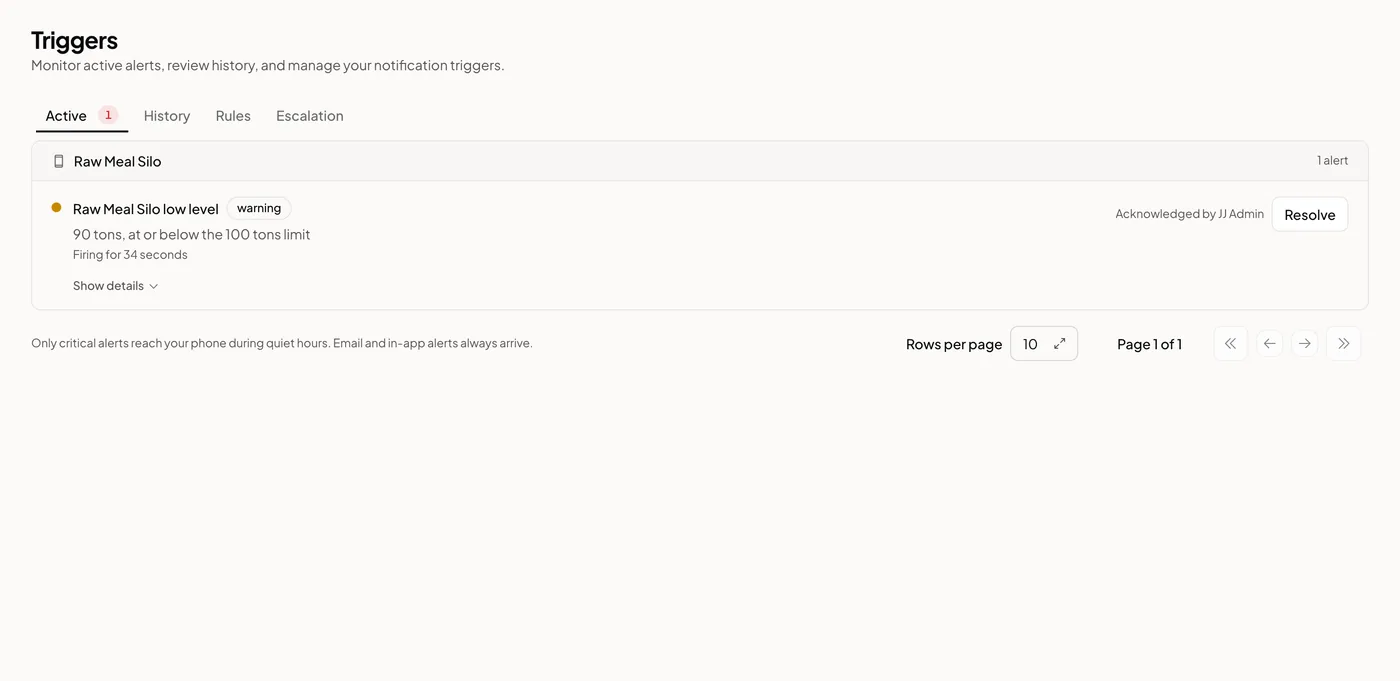
An alert that fires shows up on the Active tab. Acknowledge it to tell your team the alert has been seen. Resolve it to close it. If the rule has a recovery condition, Logable closes the alert on its own once the value crosses back.
Escalate when nobody acknowledges#
A rule can escalate to a policy under "When nobody acknowledges the alert". The policy notifies further people in stages if the alert sits unacknowledged. Build the policy on the Escalation tab, which needs two visible members in your organization before it becomes available.