Send alerts to a webhook
Register an HTTPS endpoint, copy its signing secret once, attach it to a rule, and test it.
A webhook endpoint sends alert events to a system you run. Logable has one endpoint type: a plain HTTPS URL that your own system receives and handles.
Register an endpoint#
- Open the Organization page and select the Webhooks tab. This tab is visible to admins and owners.
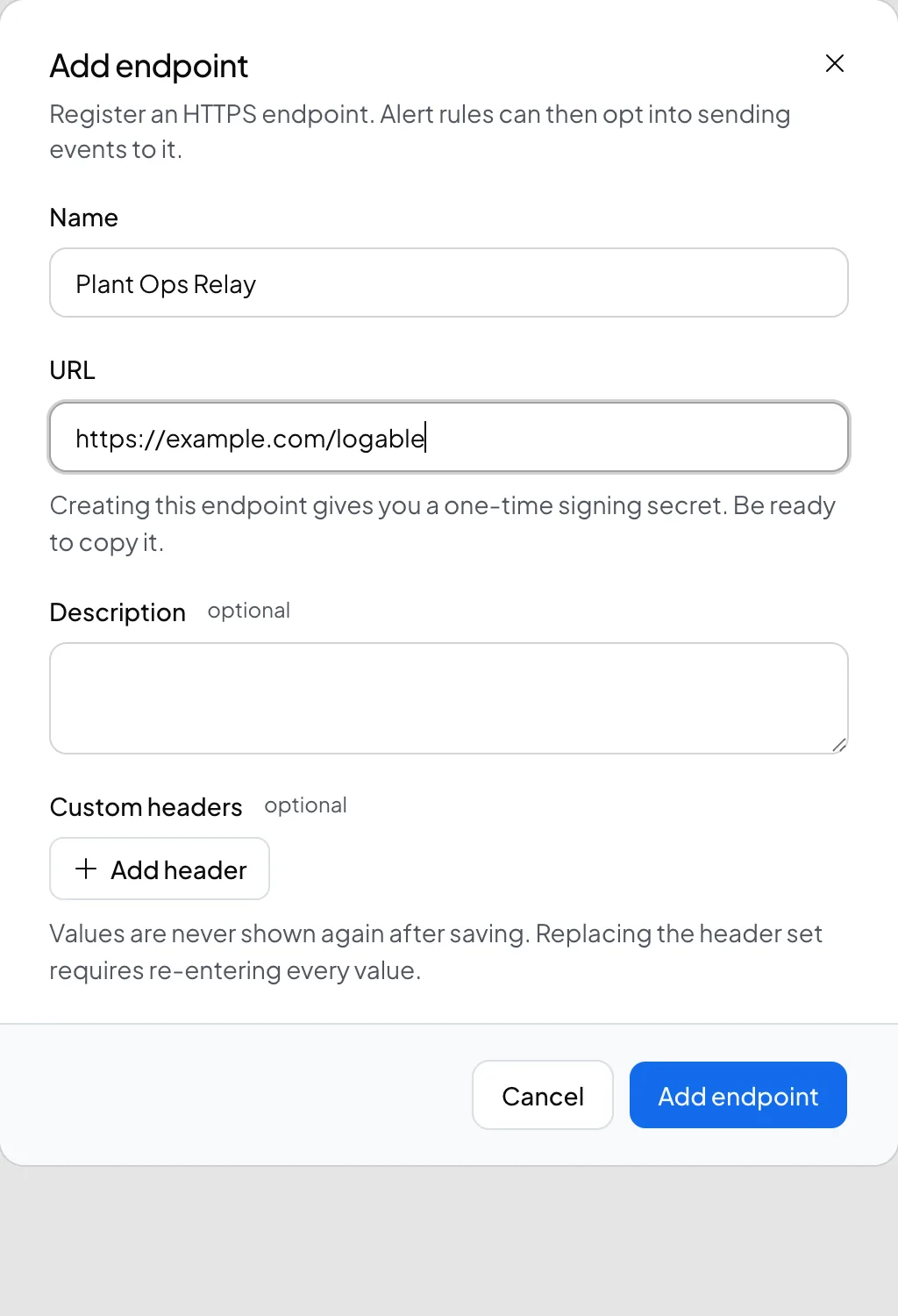
- Select Add endpoint.
- Fill in the Name, the URL (must be HTTPS), an optional Description, and any Custom headers your receiver needs.
- Save. Logable shows Your webhook signing secret once. Copy it now. You use it to verify that a delivery really came from Logable.
- Select Send test event to check your receiver is ready.
Attach it to a rule#
Open a rule and, under Webhook endpoints, tick the endpoint you want to receive that rule's alerts. A rule can send to more than one endpoint.
Watch deliveries#
Open an endpoint's delivery log to see every delivery and its status: delivered, sent, queued, skipped, or failed. Select Replay to send a failed delivery again. A replay arrives with a new webhook id, so your receiver does not treat it as a duplicate. Logable keeps payload and response detail for 30 days.
When it switches off#
An endpoint's status chip shows Active, Failing, Off, or Disabled. Failing means recent deliveries are failing and Logable will turn the endpoint off if it keeps failing. Logable turns an endpoint off automatically for one of two reasons: deliveries kept failing, or the URL resolved to a private address.
Build the receiver#
See Receive alerts as an HTTP call for the payload shape, the signature header, and how to verify it.