Every silo, live.
Told before stock runs out.
Load cells under the legs already weigh the silo. A gateway sends that weight to Logable every minute. When stock drops to the level you set, the alert reaches the person who books the delivery.
- Stock, not a guess
- live weight from the load cells
- Booked in time
- the alert names the silo and the number
- Any screen
- laptop, phone or wall display

Nobody knows what is in the silo until it is empty.
Raw Meal Silo reads 76 t against a 400 t capacity on a Saturday afternoon. The next delivery is booked on Monday, and the mill stops on Sunday night.
- Stock on hand, liveEvery silo's weight on one screen, against the capacity you set for it.
- The delivery is booked in timeThe alert fires at the level you choose, with the silo name and the weight in it.
- The history says what happenedA week of weight shows a draw-down, a delivery, and material that stopped moving.
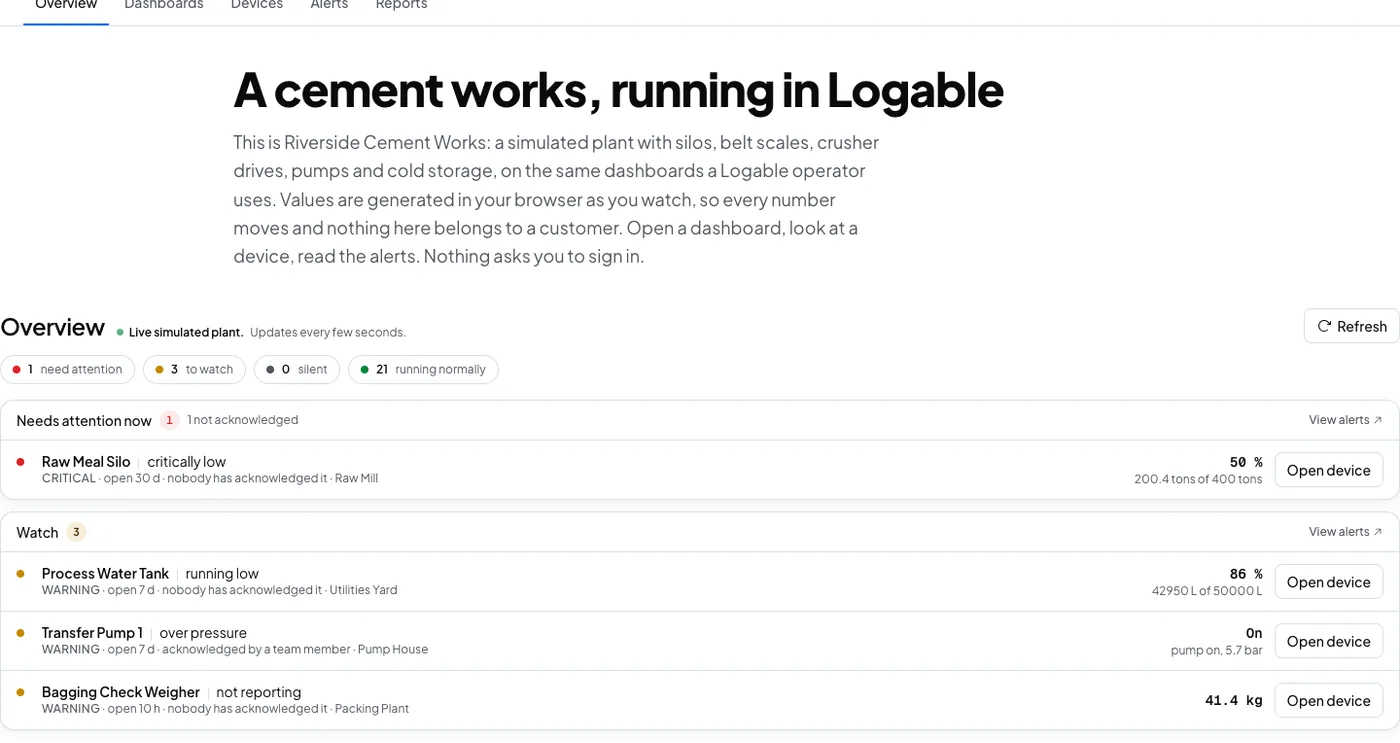
The silo, and what feeds it
Stock is one number, and it moves because something else moved it. The bin and the belt beside the silo explain the line on the chart.
A silo running low books its own delivery.
Live weight from the load cells under the legs, against the capacity you set.
A dosing bin that does not empty says so.
Batch weight and the batch totalisers on the bin feeding the mill.
The belt feeding the silo tells you what it moved.
Throughput and belt speed on the conveyor filling or drawing the silo.
What to collect from a silo
One reading answers the stock question. Three more explain why it moved.
| Reading | Unit | What it tells you | Where it comes from |
|---|---|---|---|
| Silo weight | t | how much stock is left before the mill stops | load cells under the silo legs |
| Batch weight | t | whether the dosing bin filled and emptied | the load cells under the dosing hopper |
| Feed rate | t/h | what is going into the silo, or out of it | the belt weigher on the feed conveyor |
| Totalised tonnes | t | what the shift moved, without reading the indicator | the indicator's own running total |
From the load cells to the delivery booking
The load cells feed a junction box and an indicator, which already holds the weight. A gateway polls the indicator and publishes to Logable. The alert goes out by phone to whoever books deliveries.
- Load cellsUnder the legs
- mV signal
- Junction boxSummed · Indicator
- Modbus RTU
- GatewayPolls · Publishes
- MQTT, encrypted
- Logable CloudRules · History
- Push · Email
- PhonePush · 76 t
One Logable device is one silo. A gateway that polls four indicators publishes to four device topics, so each silo keeps its own history, its own alerts and its own row on the dashboard.
The gateway between the indicator and Logable
| Protocol | How it reaches Logable | Notes |
|---|---|---|
| MQTT | Direct to Logable | The gateway publishes to Logable over MQTT with TLS, on port 8883. |
| HTTPS | Direct to Logable | A gateway or a logger can post the same reading to the Logable API instead. |
| Modbus RTU | Through a gateway | The weight indicator's RS-485 output is polled by the gateway, never by Logable. |
| Modbus TCP | Through a gateway | An Ethernet indicator is polled by the same gateway. Logable stays above it. |
Almost every weight indicator exposes the silo weight over Modbus. A gateway polls that register, names the value, and publishes it as JSON. Logable never speaks Modbus itself, and nothing dials into the plant network. See how to connect a PLC or a Modbus device via a gateway.
Most plants in South Africa already own the indicator and the load cells, and the only thing missing is the link out. A gateway on a 4G router carries it, so a site with no fixed line still reports, and you are not buying the instrument again to get the number off it.
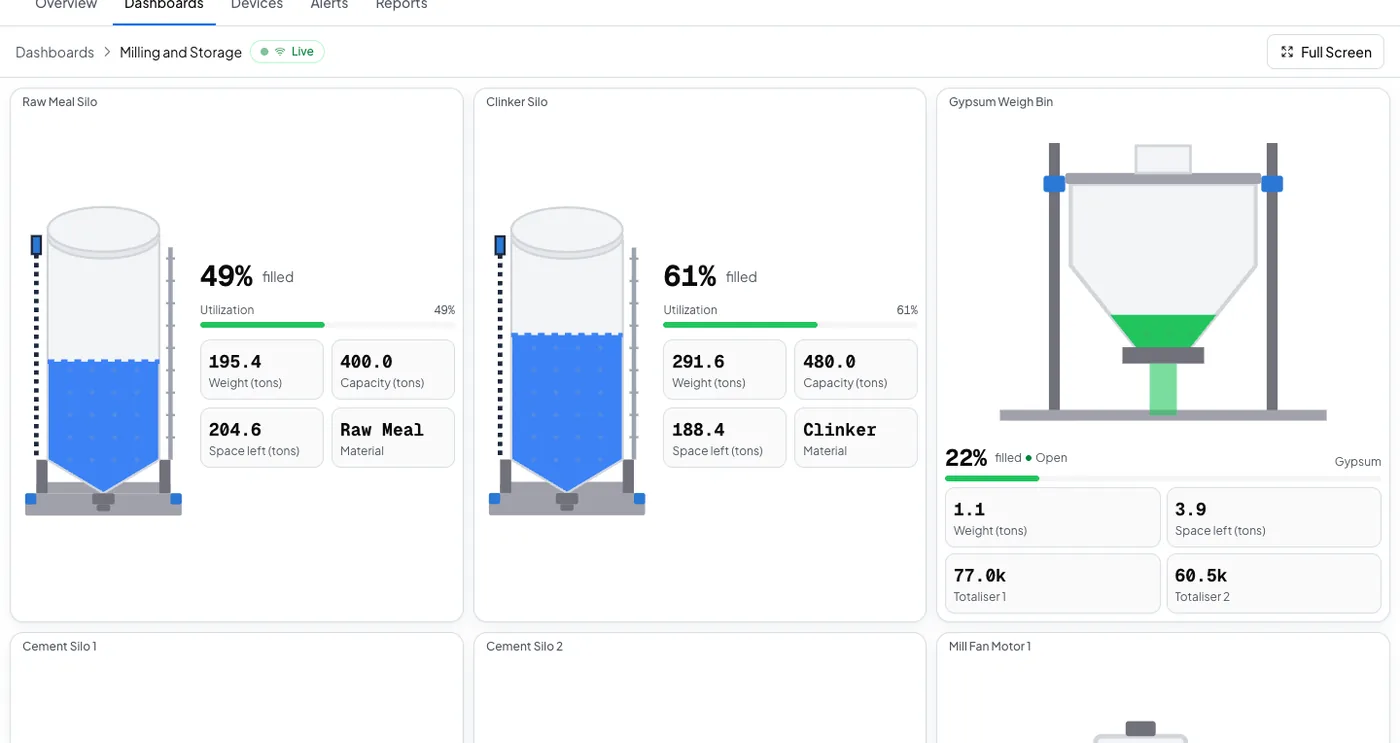
Every silo on one board
One row per silo, each showing stock against the capacity you set, with the history under it.
Stock is a number. Not a guess.
The load cells already know. Logable reads them, keeps the history, and tells the person who books the delivery.
The alerts a silo is worth having
Four presets cover the stock question and the silence that hides it. Each one states the number it resolves to before you adopt it.
- Running low on stock
Tells you when this silo drops to a fifth of its capacity, so you can book a delivery before it runs out.
- Critically low on stock
Tells you when this silo drops to 5% of its capacity, the point where production stops without an emergency delivery.
- Nearly full
Tells you when this silo passes 90 % of its capacity, so you can hold the next delivery.
- Not reporting
Tells you when this device stops sending data, and again when it comes back.
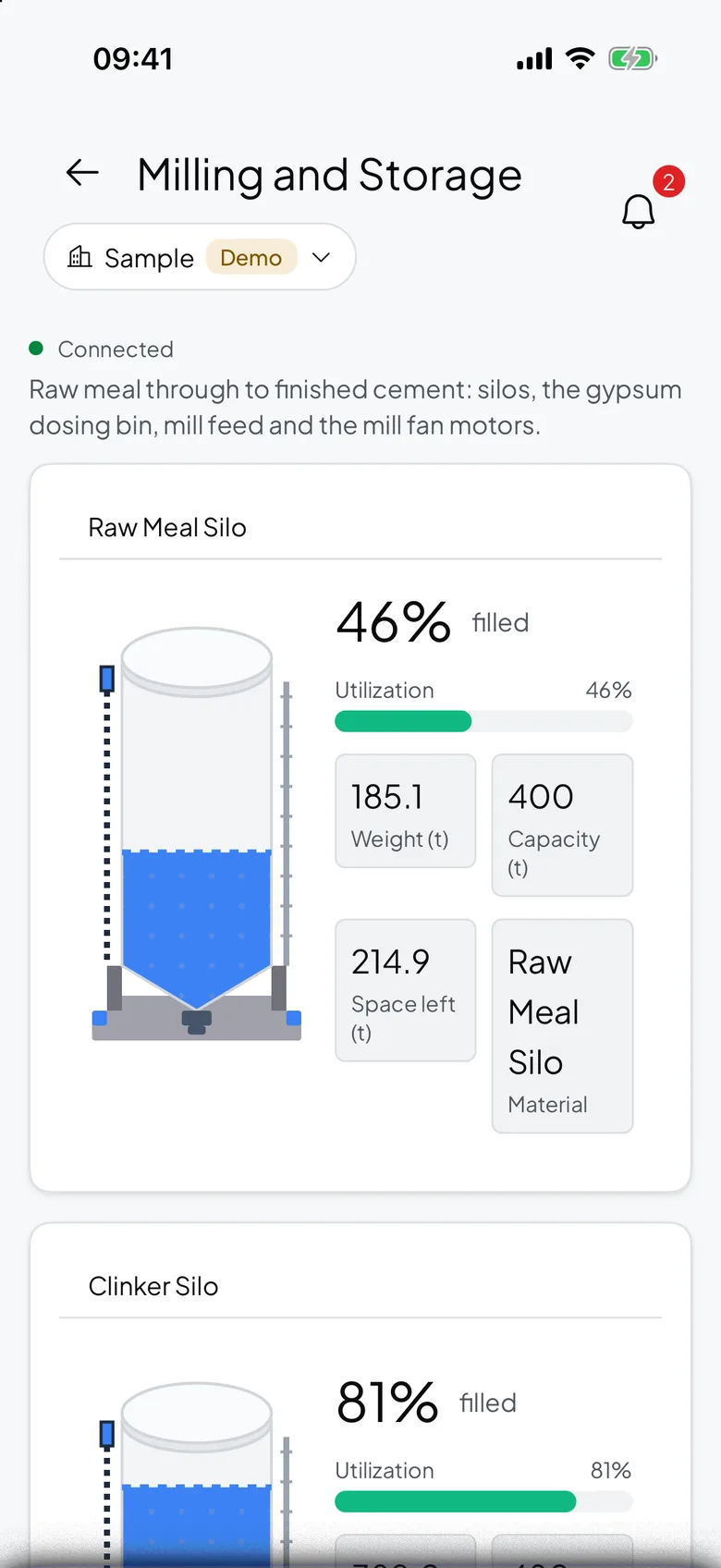
The silo is at the plant. The number is in your pocket.
Raw Meal Silo drops under a fifth of its capacity on a Saturday. The push carries the silo and the weight, so the delivery is booked before Monday.
- The reading, not just a pingThe push names the silo and the weight in it, so you know what to book.
- Acknowledge onceThe reminders stop. If nobody acts, the next person on the list is told.
- The critical one is separateA silo at five percent of capacity is its own alert, and it is the one worth waking somebody for.
What goes wrong, and what changes
Three ways a silo costs a shift, and what the alert does about each.
| What happens | What you see today | What Logable does |
|---|---|---|
| Stock runs out over a weekend. | The mill stops on Sunday night and the delivery is booked on Monday. | The alert fires at a fifth of capacity, with the weight in it.Running low on stock |
| A silo is filled while it is already nearly full. | Material goes over the top, and somebody cleans it up. | The nearly full alert fires at 90 percent, so the delivery is held or redirected.Nearly full |
| The gateway loses its link. | The dashboard keeps showing the last reading and looks healthy. | The not reporting alert names the silo that went quiet, and says when it returns.Not reporting |
Silo and grain storage
Stock on hand, how it moved, and the total across every silo.
What it costs to watch eight silos
Sized by how many devices report, not by how many silos are on the site.
The trial runs 14 days with 5 devices and Growth features, and asks for no card. Industry plans are quoted per site.
The gateway is bought once from your supplier and is not a Logable cost. The load cells and the indicator are already on the silo.
Frequently asked questions
What teams ask before they connect the first device.
Load cells under the legs, or a level sensor in the roof, feed an indicator that already holds the number. A gateway polls that indicator and publishes the reading to Logable over MQTT. The dashboard updates live, and the alert reaches a phone when stock drops to the level you set.
Yes. The indicator wired to your existing load cells almost always exposes the weight over Modbus RTU or Modbus TCP. A gateway reads that output. Nothing is rewired, and nothing is recalibrated.
Logable is priced by how many devices report. Eight silos is eight devices, and the section above resolves that to a plan from the current ladder. The full ladder is on the pricing page. The gateway is a one-off cost from your supplier.
Weight, if you can. A Logable silo stores weight, because that is the answer to the stock question and it does not depend on the material's density or the cone. When the instrument gives level, convert it to a quantity at the indicator or in the gateway, before the reading reaches Logable.
The running low preset fires at 20 percent of the capacity you set, and the critical one at 5 percent. Those are the defaults, and both are yours to change once you know your own lead time on a delivery.
Yes. The gateway makes one outbound connection, so a 4G router carries it. Many gateways also buffer locally and upload when the link returns, so a dropout costs you the gap and not the history.
Also for belts, bins and remote sites
Belt Scale Monitoring
Rate, belt speed and totalised tonnes on a live dashboard.
Learn moreWeigh Bin Monitoring
Batch weight and the alert when the feed does not stop.
Learn moreRemote Monitoring
Watch equipment from anywhere, and let the alert find you.
Learn moreRunning silos on a farm or a feed mill? monitoring for agriculture or read how to monitor a silo remotely.
Put the first silo on a dashboard
Connect the indicator through a gateway and add the presets. The alert reaches the phone at the level you set.