One workspace per site.
Access to fit the job.
Each organization is its own workspace with its own devices, dashboards and members. Invite people by email and give each one the role their job needs.
- Four roles
- owner, admin, member, viewer
- Invite by email
- the role is set on the invite
- Many sites
- one account, switch in a click
Organizations
Riverside Cement Worksowner
| Member | Role | Joined |
|---|---|---|
| JDJohn Doejohn.doe@example.com | Viewer OwnerFull control of the organization AdminManages devices, dashboards and alerts MemberConfigures devices and dashboards ViewerRead-only access | Aug 16, 2026 |
One login. Every site. Who sees what is up to you.
Each organization is its own workspace, so a login for one site never sees another site's devices or data.
Access control at every level
Give one person a single dashboard to watch, or a whole team control of the site.
Every site keeps its own data
Each organization is a fully isolated workspace with its own devices, dashboards and team members.
Add someone in under a minute
Invite a team member by email. They join instantly with the access their role gives them.
Give each person only what they need
Owner, Admin, Member or Viewer. Configure devices, edit dashboards, or just watch, nothing more.
See who did what, and when
Every alert fired, recovered and resolved is kept as a reviewable history, with device status changes over time.
Switch sites without signing out
Belong to more than one organization and move between them from the same account.
Know who has access today
See every member, change a role, remove access, or check who is still pending an invite.
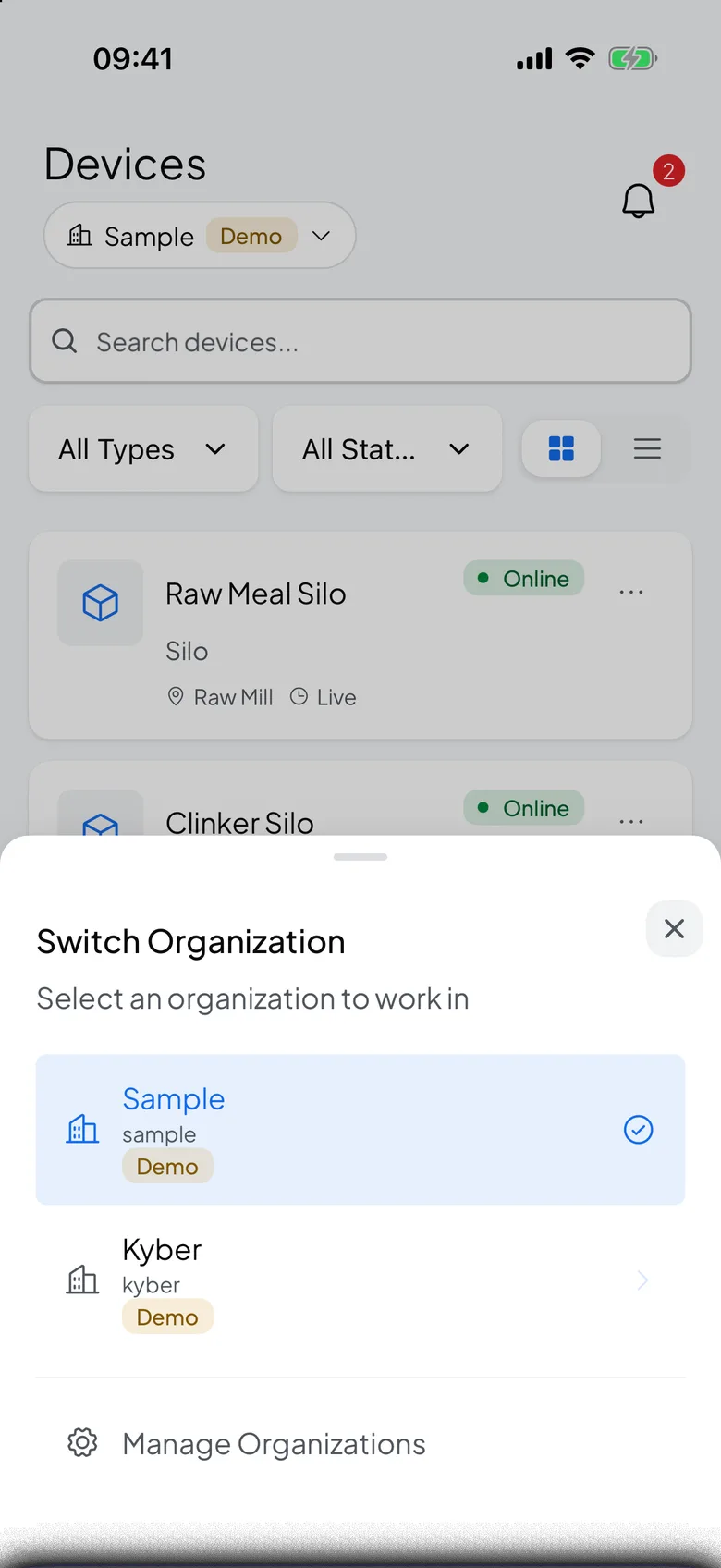
One phone, every site you manage.
Tap the organization pill and the whole app changes context: different devices, different dashboards, different alerts. Nobody signs out to get there.
- Every site, one accountBelong to more than one organization and each stays its own isolated workspace.
- The device list follows youSwitch organizations and the list changes with it: different equipment, different sites, different status.
- Access still appliesYour role on each organization travels with you, so a viewer stays a viewer everywhere.
Set up the first site before the next hire
Create your organization, invite the team, and give each person the role their job needs.