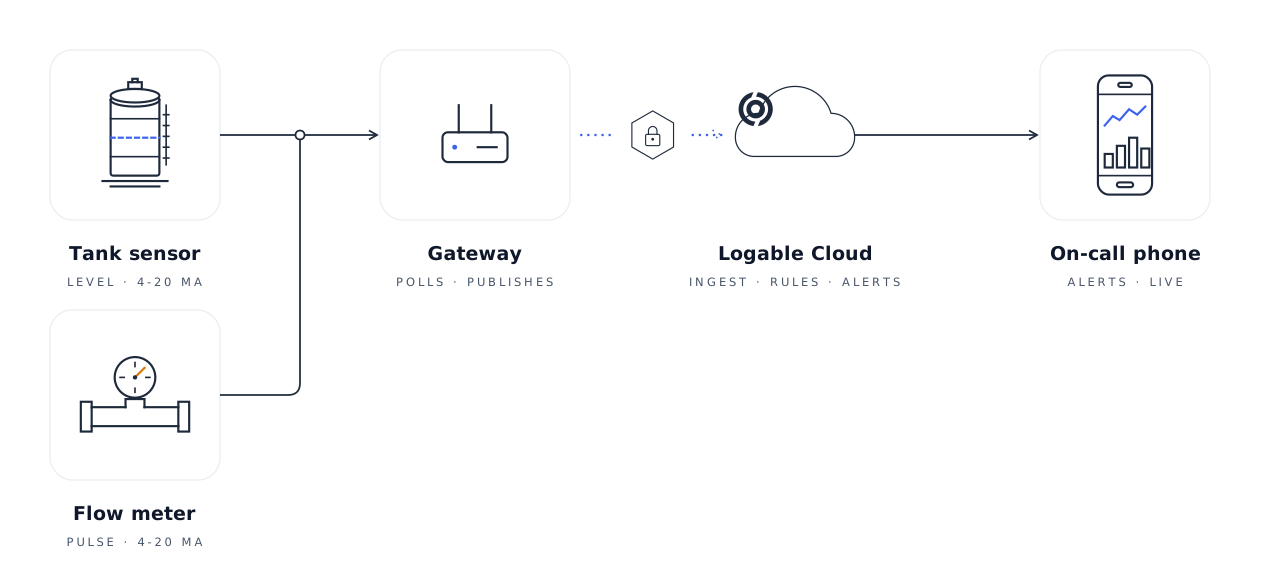
We have rebuilt how alerts work in Logable, end to end: how an alert starts, who hears about it, what happens when nobody responds, and how it ends. The short version:
The problem we set out to fix#
Your silo drops below 20 tonnes on a Saturday afternoon. We message you, which is exactly what you asked us to do. Then we message you again half an hour later. And again, right through the weekend, while the delivery you arranged is already booked for Monday morning.
That is how people learn to ignore their phones. An alert nobody reads is worse than no alert at all, because everyone carries on assuming something is watching. Every change below exists to keep alerts worth reading: a reading goes wrong, the right people hear about it, someone takes it on, and the noise stops.
Acknowledge an alert to stop the reminders#
Every alert message now carries an Acknowledge button: one press to tell us the problem is being handled. The reminders stop. The alert itself stays open, because the silo is still low and that is still true. If it is refilled and runs low again next month, that is a new problem, and you will hear about it.
You can acknowledge from your alerts screen, from the phone app, or straight from the email, with no need to sign in first.
Two related changes for the alerts you leave repeating. Reminders now arrive at most once an hour, so no alert can message you every few minutes all night. And for things you only want to hear about once, choose Notify once: a single message, no reminders, nothing to press, and it quietly resets itself once the reading returns to normal.
Escalation policies: unanswered alerts go to more people#
Some alerts matter too much to depend on one phone being charged. For those, you can set up an escalation: a list of steps that says how long to wait and who to add next. A step can name people, or a whole role such as every admin. If someone acknowledges in time, the escalation stops. If nobody does, the next step fires.
So a pump alert might go to the site operator first, add the site manager after fifteen minutes, and the operations team half an hour after that. You set an escalation up once and attach it to whichever alerts deserve it.
Every alert also now shows, in plain words, who it reaches: the people, how each of them will be told, and the escalation steps if any are attached. No more setting up an alert and hoping the right people are on the other end.
Alerts adapt to how often your equipment reports#
Not everything reports at the same rate. A belt weigher on a conveyor might send a reading every few seconds. A silo sensor out in a field might send one every fifteen minutes, to save battery. That difference used to cause trouble at both ends: fast equipment set off alerts from a single odd reading, and slow equipment took far too long to react.
Logable now learns each piece of equipment's pace, and two things follow.
Confirming a problem over three readings means three actual readings. Under a minute on the belt weigher, about forty-five minutes on the silo sensor. Same instruction, sensible result either way, and we tell you which it will be while you set it up.
Readings that hover right on your number no longer flip an alert on and off all day. The reading has to move properly back into safe territory before we treat the problem as over.
Alerts are checked against real data before you save#
When you save an alert, we compare your numbers against the readings that equipment has actually produced over the past month. Three mistakes are easy to make and hard to spot, so we now check for them.
The all-clear number is out of reach. An alert has two numbers: one that starts it, and one that tells us the problem is over. Say your silo's low-stock alert starts below 40 tonnes and clears above 80 tonnes. If that silo has never held more than 31 tonnes, the alert can start but never clear. It would sit on your screen forever.
The alert would be on from day one. Say you ask to be warned when a tank drops below 90% full, but the tank has sat at 40% full for the whole month. The alert would start the moment you save it, and stay on. Probably not what you meant, so we say so.
The alert could never have fired. The number you picked is outside anything this equipment has done in a month. That can be deliberate: a low-stock warning that never fires can simply mean good ordering. We point it out and leave the decision with you.
In every case we warn, and that is all. Nothing is blocked, and your numbers are never changed for you.
Alert presets: ready-made alerts for every device type#
Setting up sensible alerts from a blank page is the job everyone puts off. How low can the silo run before someone should know? So we built presets: ready-made alerts for each kind of equipment we support, including silos, water tanks, conveyors, pumps, motors and cold rooms. Open a device and Logable suggests the presets that fit it. One click and the alert is on.
The numbers come from your own equipment, not a generic template. If you have told us a silo holds 100 tonnes, its running-low alert is built around those 100 tonnes. We show you where every number came from, and you can change any of them before you save.
Two more things. You can put one alert on many machines at once: ten silos that need the same running-low warning take one preview and one confirmation, not ten set-ups. And if you later change a machine's details, a new capacity after a refit, say, any alert built on the old figure is flagged so you can update it or knowingly leave it.
Health labels: spot alerts that flip-flop or go unread#
Setting an alert up is one thing. Whether it is actually helping anyone is another, and until now you had no way to see that without digging through history yourself. Logable now watches how each of your alerts behaves over time. When one stops doing its job, a small label appears next to it on your rules list, saying what is wrong in two or three words. There are three labels:
"On and off." This alert keeps starting and clearing, over and over. Every switch is genuine: the reading really does keep crossing your number. It usually means the start and all-clear numbers are too close together for equipment whose readings naturally wander. Move them further apart and it settles down.
"Going unread." This alert has fired plenty over the past month, and nobody has opened a single one of its messages. Either nobody needs this alert, or it is being sent to the wrong people. Both are worth knowing.
"Going unanswered." An alert from this rule has been sitting open and unacknowledged for more than a day, and nothing is going to bring anyone else in: no escalation is attached, or the people its steps name are no longer around to receive it. The problem is real, and nobody is coming.
A label is information, not a task. It clears itself as soon as the behaviour changes, and there is nothing to dismiss or tidy away.
Notification preferences: one inbox, channels, quiet hours#
All your notifications now live in one feed, on the web and in the phone app, instead of three different places. Behind it sit two personal settings:
Channels. Choose email, a message in your web browser, a notification on your phone, or any mix. Your choices are your own and do not change what your colleagues receive.
Quiet hours. Pick the days and hours you do not want to be disturbed, in your own timezone. Anything that fires in that window waits for morning. Critical alerts always come through, which is exactly why the critical level should be handed out sparingly.
Active alerts are grouped by device, in plain language#
The screen that shows what is wrong right now reads the way you would say it out loud: grouped by the equipment it belongs to, in plain sentences, with how bad it is and since when. A pump that has been over pressure since Tuesday is one entry, not forty rows. Your alert numbers are also drawn on the charts now, so you can see at a glance how close a reading is to the line you set.
Device availability: honest online and offline status#
"Is it online?" deserves better than a coloured dot, so equipment now carries an honest record of how much of the past day, week or month it was actually reporting. Offline is judged against each machine's own pace: a sensor that reports every fifteen minutes is not offline nine minutes after its last reading, and one that reports every thirty seconds does not need ten minutes of silence before anyone is told.
Two smaller pieces of the same honesty. If equipment goes quiet while an alert is open, we tell you the readings have stopped, because a silent sensor is not a solved problem, it is just one we cannot see. And where we have no data, dashboards now say "Data unavailable" instead of showing a zero. A zero is a reading. A gap is a gap.
Stock estimates for silos and tanks#
If you run silos or tanks, you live with one question: how long until this runs out? The honest answer usually lives in somebody's head, a spreadsheet, or a climb up the ladder to look inside.
Logable now answers it on the equipment itself. Open a silo or a water tank, and under its level you will see a line like "About 2 days of material left at the last 48 hours' rate." We watch how quickly the level has actually been dropping and work out when it would run out at that pace. The line updates itself as readings arrive: draw down faster and it shortens, take a delivery and it resets. Press the i next to it and we show you the sums behind the number: what the level was, what it is now, and how much is going out per day.
The point of it is simple: order before you run empty, not after. A silo that runs out quietly stops a production line. A "about 2 days left" line, seen three days before your supplier's cutoff, turns an emergency order into a routine one.
Two honest limits. It assumes nothing changes, so a Thursday delivery or an unusually busy week makes it wrong until the readings catch up. It is arithmetic on what has already happened, not a promise about what will happen, and it will never place an order for you. And it stays quiet rather than guessing: if the level is not dropping, or the readings have been jumping around, we say so instead of showing a confident number we do not believe.
Webhooks: send alerts to your other software#
If you run other software that should know when equipment misbehaves, a maintenance planner or a job board, say, Logable can now call it directly. You give us a web address, and we send a message there the moment an alert fires and again when it recovers. If you have heard the term, this is a webhook.
Each message is signed so the receiving side can check it really came from us. There is a test button to try the connection, a log of every delivery, and retries if your system is briefly unreachable.
The mobile app now does everything the web app does#
Until now the phone app was mostly for watching and responding. That gap is gone. Everything in this post works in the app, because for a lot of you the phone is not the second screen, it is the only one on site.
From the app you can now:
- Create and edit alerts, with the same options and the same checks as the web.
- Browse the presets and put them on one device or many at once.
- Acknowledge straight from a notification, without opening the alert first.
- Set up escalations, quiet hours, and your notification channels.
The two stay in step. An alert created on a phone in the field is the same alert your colleague sees at a desk, down to the last number.
Also worth knowing#
- View-only colleagues can now see equipment. People you have given view-only access can open machines and their readings, without being able to change anything.
- Pages are faster across the board. We wrote about the details in A Faster, Steadier Logable.
- Equipment pages have been reorganised, so the reading you came for is on screen first, with history and settings a tab away.
What you need to do#
Nothing. Every alert you already have keeps its numbers and its people. The checks, labels and honest online numbers appear on their own, the ready-made alerts are there next time you add one, and escalations, quiet hours and channel choices wait in settings. The phone app picks all of this up in its latest update from the App Store or Google Play.
If something in your alerts has been bothering you for a while, now is a good time to open them up. The tools finally match the job.