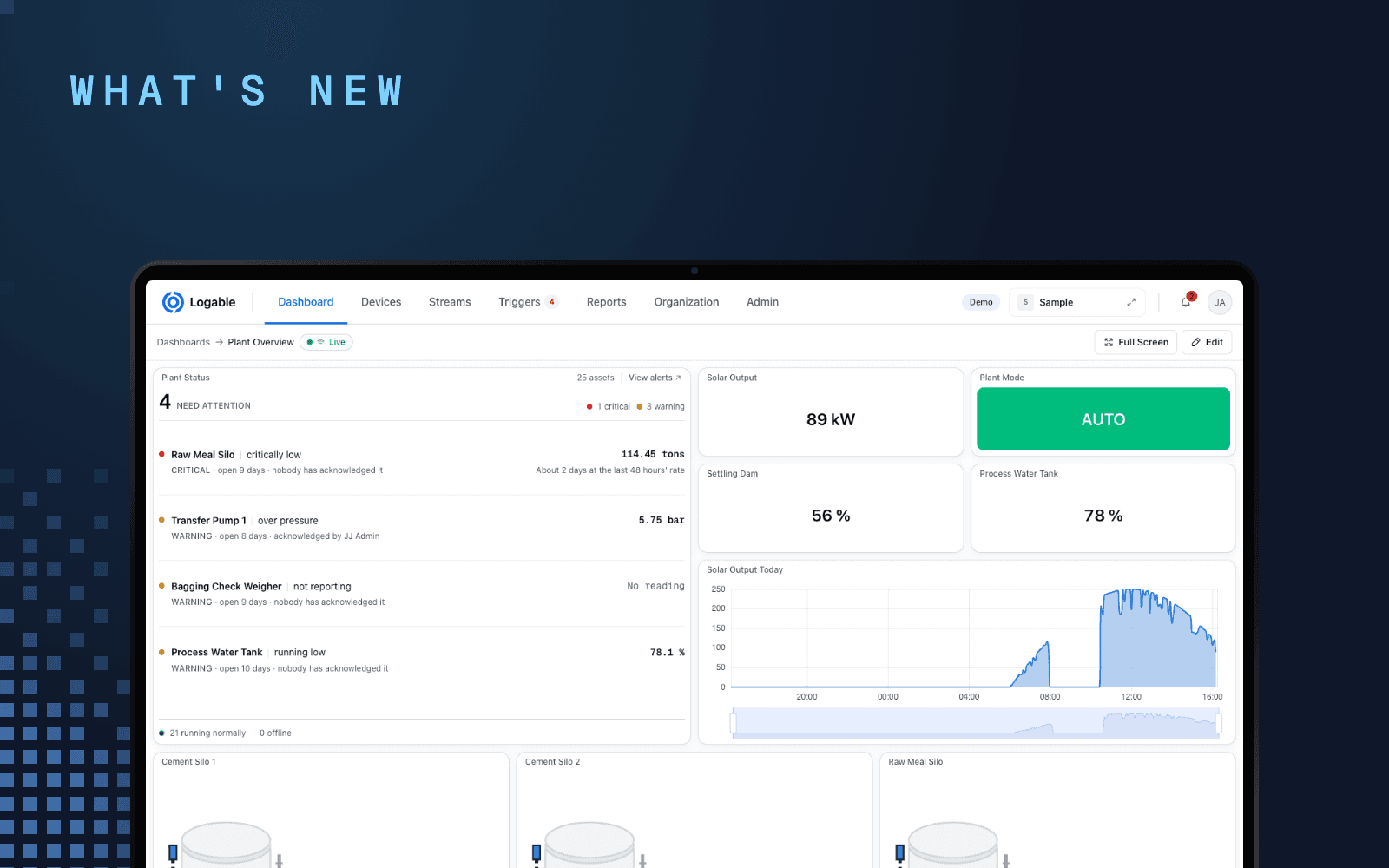
A plant with three belt scales usually has three different pieces of software. Each integrator ships a portal that shows its own scale, and none of them shows the other two. The numbers exist. They just sit in three places, on three screens, in the weighbridge office.
What a belt scale actually outputs#
A belt weigher measures two things and multiplies them. A load cell under the weighed span gives the load on the belt. A speed sensor on the tail pulley gives belt speed. Rate is load times speed. The indicator does that arithmetic and keeps a running total.
So the indicator already holds the four numbers worth watching:
| Reading | What it tells an operator |
|---|---|
| Rate | What the line is doing right now, in tonnes per hour |
| Belt speed | Whether the belt is running, slipping or stopped |
| Load on the belt | How close the belt is to its rated maximum |
| Totaliser | What the shift has moved |
The indicator shows them on its own display, in the weighbridge office. That is the whole problem.
Where Modbus stops and MQTT starts#
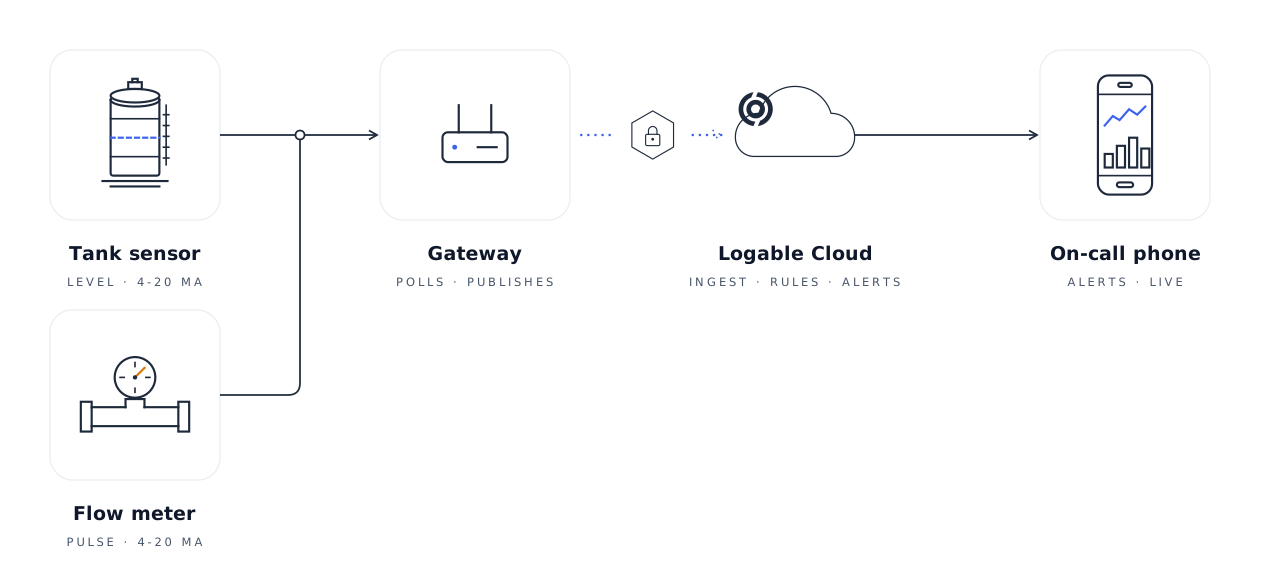
Almost every indicator exposes those values over Modbus RTU on RS-485, or Modbus TCP on Ethernet. Modbus is a polling protocol on a local network. It was never meant to leave the plant, and a cloud service that dialled into it would be a hole in the plant network.
A gateway sits between the two. It polls the indicator's registers on the plant side, and it makes one outbound TLS connection to Logable on the other side. Logable stays the application layer above it and speaks MQTT and HTTPS only.
The register addresses come from the integrator's manual. They differ between makes, and between firmware versions of the same make. Map them once in the gateway, give each point a name, and the mapping stops mattering to everything above it. Connect PLCs and Modbus devices via a gateway covers the setup.
The four values on one dashboard#
Once the gateway publishes, a belt is a normal Logable device. The Belt scale line dashboard template lays out rate, belt speed and the totaliser together, the view an operator reads without being told how.
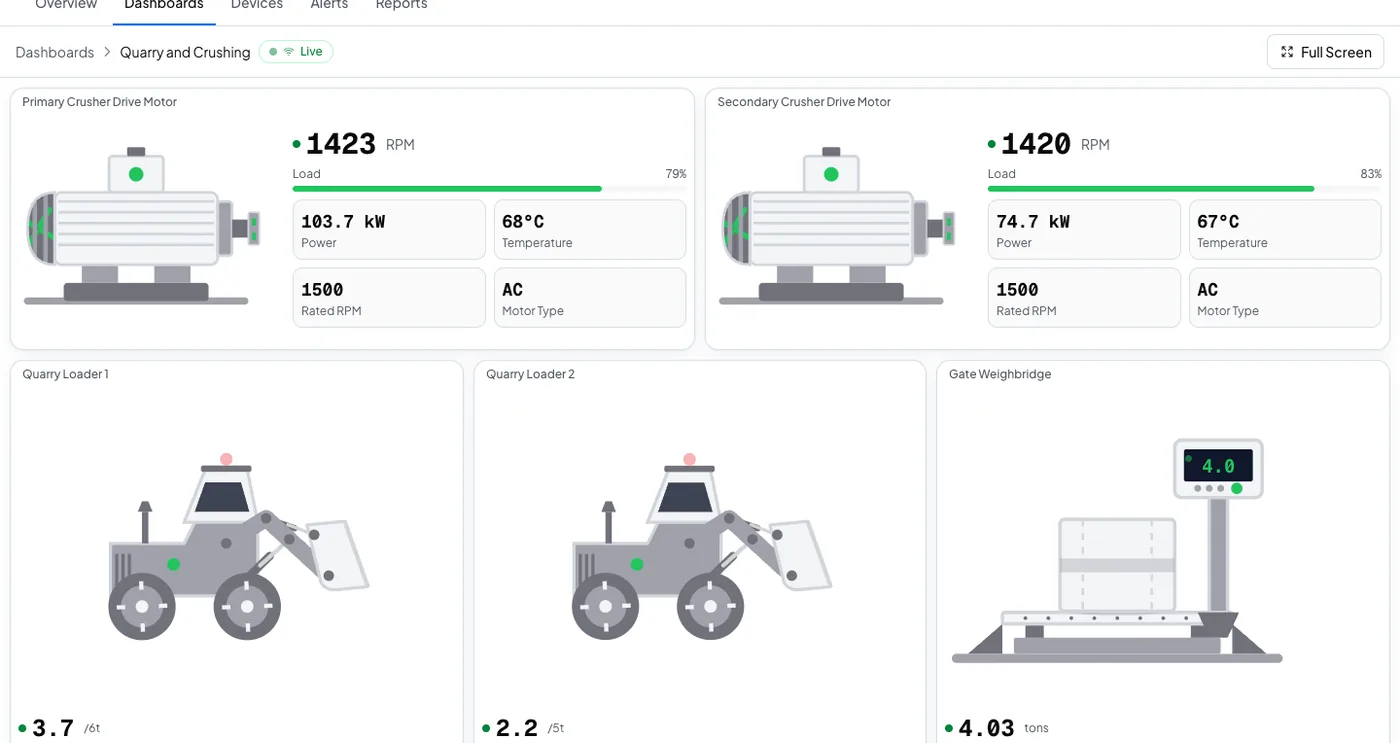
A belt does not need a screen of its own. It reports next to the rest of the line on the operator's normal board, because the dashboard reads the device, not the vendor.
The two alerts worth having on day one#
Belt stopped. Fires when belt speed stays near zero for fifteen minutes straight, so a quick planned stop does not set it off. The push banner reads the device name and the preset's own sentence: "Quarry Conveyor standing". Somebody walks to the line.
Belt overloaded. Fires at 90 percent of the maximum belt load you set, and clears at 80 percent. The banner reads "Quarry Conveyor carrying more than its rated load". Somebody slows the feed before the belt, the gearbox or the motor takes the damage.
Both stop repeating the moment somebody acknowledges. If nobody acts, the escalation ladder tells the next person on the list.
What this does not do#
Logable shows live weight from the indicator you already own. It does not print a weighbridge ticket, it does not issue a trade certificate, and it does not replace the legal-for-trade chain. Those belong to the weighbridge software and to the verification body. If the question is "what is the truck's docket", that is not this. If the question is "what is the line doing, and did anyone notice it stopped", that is exactly this.
What a second and a third belt cost#
Logable is priced by how many devices report, not by how many makes of scale you run. A second belt is a second device on the same plan until the plan's device allowance runs out. The gateway is bought once from your supplier and is not a Logable cost. Pricing has the ladder.
Start here#
- Belt scale monitoring, the whole picture.
- Monitor a belt scale remotely, the six steps.
- Connect PLCs and Modbus devices via a gateway, the gateway setup.