A bin past its capacity
stops the feed, not the mounts.
A weigh bin fills, weighs and discharges hundreds of times a shift. When one fills past its rated capacity, the feed did not stop, and the load cells carry it.
Equipment
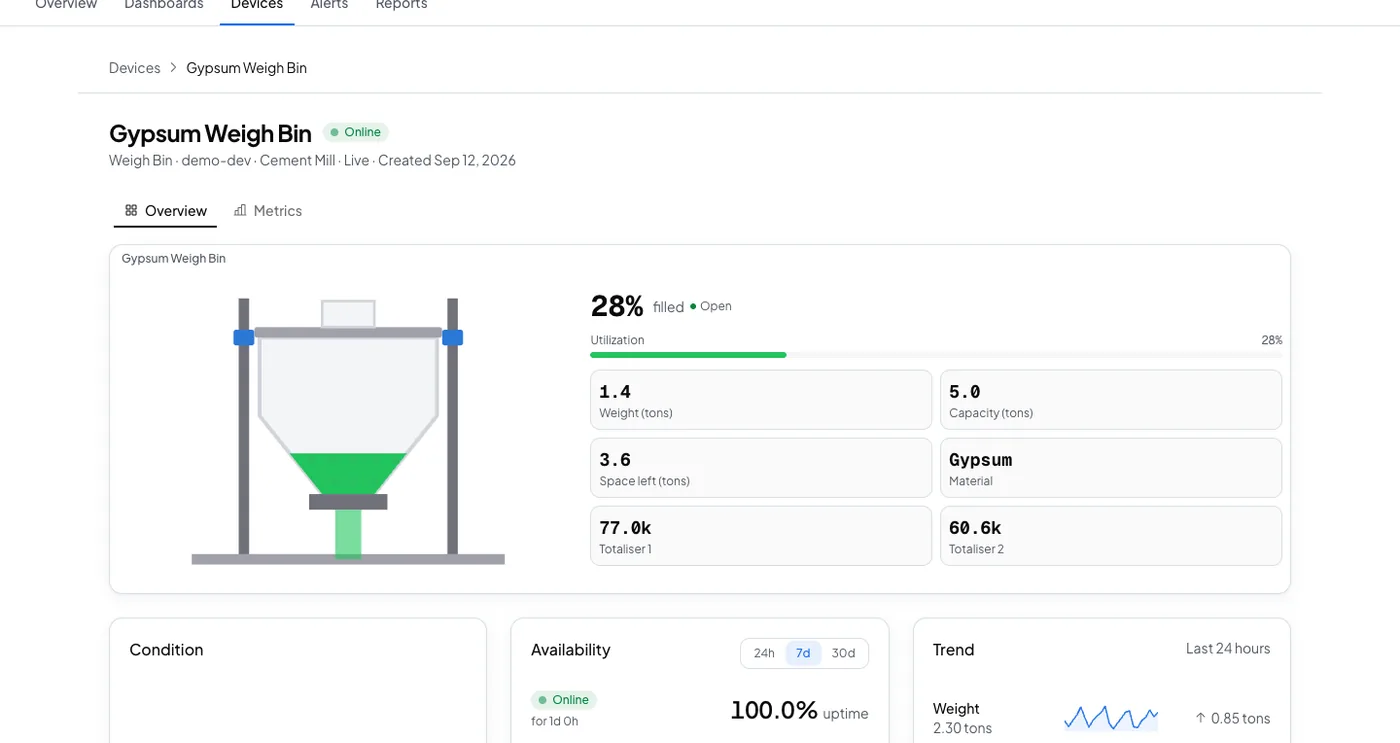
One dosing hopper, with load cells under it and a batching indicator on a gateway.
Weigh bin
weight · totaliser
The reading
- Metric
- weight (t)
- Source
- the load cells under the hopper
- Cadence
- every ten seconds
The problem
Gypsum Weigh Bin reaches 5.2 t against a 5 t rated capacity. The feed did not stop at the set point, and the hopper mounts take the extra load on every cycle until somebody notices.
Loaded past capacity
Add it from the bin's Triggers tab. It needs the bin's rated capacity, which is the number it fires at rather than a share of it.
loaded past its capacity
Fires the moment weight reaches the rated capacity you set for this bin, and clears once it drops back below 90% of that. That is the top of the bin's normal working range, so a routine cycle won't reopen the alert.
The response
Somebody stops the feed and checks the load cell before the bin or its mounts are damaged.
- Sent by
- push, email and the in-app inbox
- Who is told
- the rule's recipients
- Stops when
- somebody acknowledges
On your dashboard
Frequently asked questions
Open the bin's Triggers tab, select Browse presets, and add Loaded past capacity. Set the bin's rated capacity on the device first: this preset fires at that number, not at a share of it.
The rated capacity you set for that bin. It clears once weight drops back below 90 percent of the capacity, which is the top of the bin's normal working range, so a routine cycle does not reopen it.
The rule's recipients, by push, email and the in-app inbox. Acknowledging stops the reminders. If nobody acts, the escalation ladder tells the next person on the list.
Put this alert on your own bin
Set the bin's rated capacity once, and add the preset from the Triggers tab.