A tank running low
is refilled before it runs dry.
The level sensor already knows how much is left. Logable watches it and tells whoever arranges the refill, while there is still water in the tank.
Equipment
One tank, with an ultrasonic or pressure level sensor and a gateway on site.
Water tank
level
The reading
- Metric
- level (%)
- Source
- the level sensor in the tank
- Cadence
- every minute
The problem
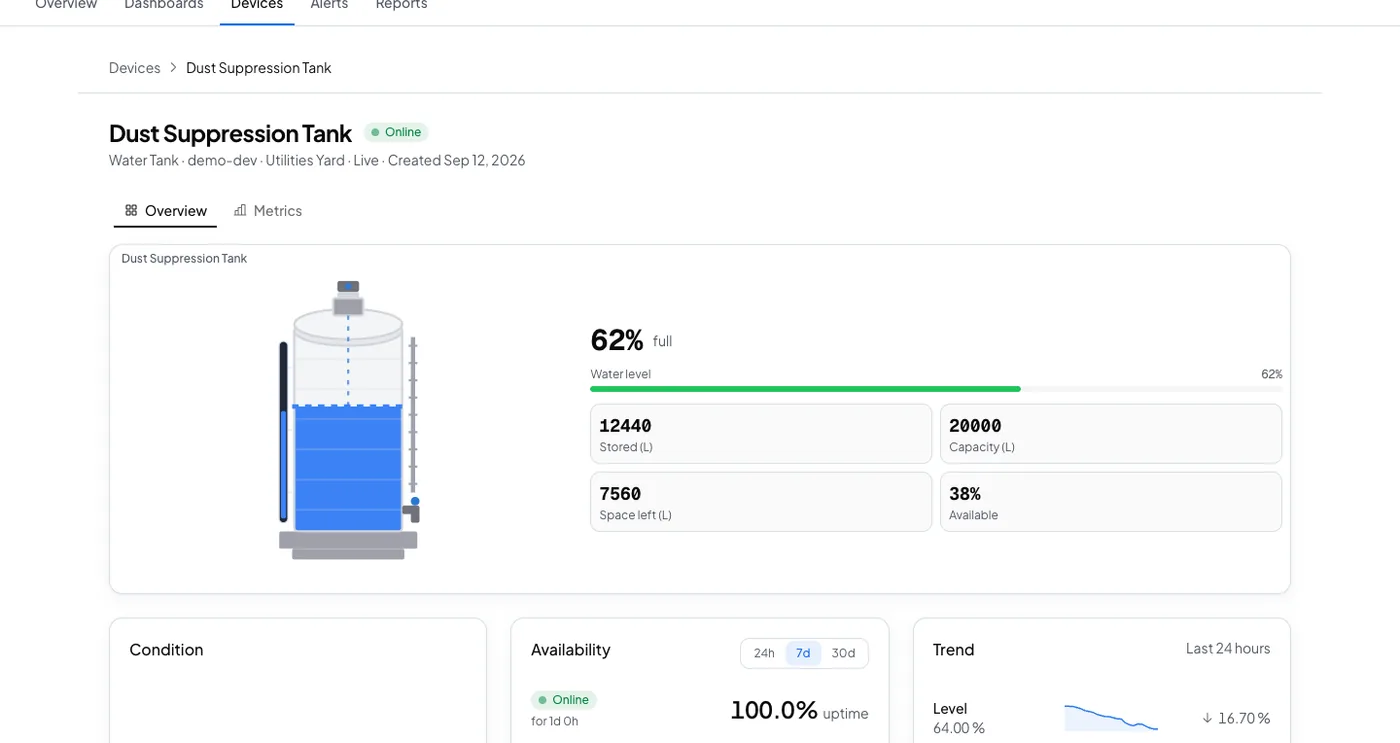
Dust Suppression Tank reads 18 percent on a Friday afternoon. The refill is scheduled for Monday, and the yard runs the weekend without dust suppression.
Running low
Add it from the tank's Triggers tab, under Browse presets. There is no threshold to type: tank level is already a percentage of full.
running low
Fires at 20% full and clears once you're back up to 35%. This is the same low-stock margin used across the platform's tanks and silos. A quick top-up won't undo the alert by itself.
The response
The operator triggers a refill, or switches to another source.
- Sent by
- push, email and the in-app inbox
- Who is told
- the rule's recipients
- Stops when
- somebody acknowledges
On your dashboard
Frequently asked questions
Open the tank's Triggers tab, select Browse presets, and add Running low. Nothing else is configured, because the level Logable stores is already a percentage of full.
Twenty percent full, and it clears once the tank is back to 35 percent. That is the same low stock margin the platform uses across tanks and silos, and it means a quick top-up does not undo the alert by itself.
The rule's recipients, by push, email and the in-app inbox. Acknowledging stops the reminders. If nobody acts, the escalation ladder tells the next person on the list.
Put this alert on your own tank
Connect the level sensor through a gateway and add the preset from the Triggers tab.