A tank nearly full
closes the valve in time.
An overflowing tank is lost water and a wet floor. Logable watches the level and raises the alert with a tenth of the tank still to fill.
Equipment
One tank, filling, with a level sensor reporting a percentage of full every minute.
Water tank
level
The reading
- Metric
- level (%)
- Source
- the level sensor in the tank
- Cadence
- every minute
The problem
Process Water Tank is left filling while the yard is busy. It goes over the top, the pump keeps running, and somebody spends an hour on the floor instead of the job.
Nearly full
Add it from the tank's Triggers tab, alongside the running low preset. The two cover the opposite ends of the same reading.
nearly full
Fires at 90% full and clears once the level drops back to 80%, giving you enough of a gap that normal filling won't flip the alert straight back off.
The response
The operator stops the pump or closes the valve.
- Sent by
- push, email and the in-app inbox
- Who is told
- the rule's recipients
- Stops when
- somebody acknowledges
On your dashboard
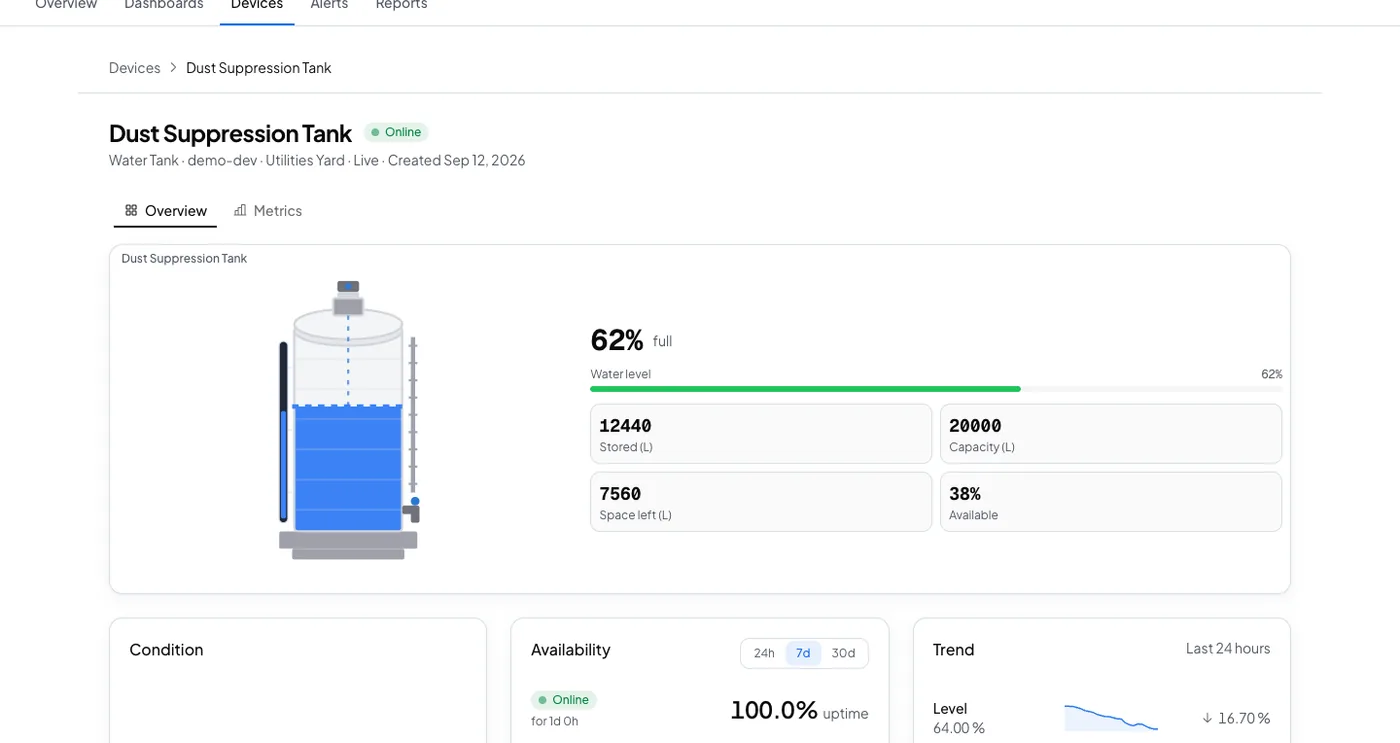
Frequently asked questions
Open the tank's Triggers tab, select Browse presets, and add Nearly full. It uses the same level reading the low alert uses, so nothing extra is configured.
Ninety percent full, and it clears once the level drops back to 80 percent. That gap is wide enough that normal filling does not flip the alert straight back off.
The rule's recipients, by push, email and the in-app inbox. Acknowledging stops the reminders, and the escalation ladder tells the next person if nobody acts.
Stop the next overflow before it happens
Add both tank presets from the Triggers tab. They cover the opposite ends of one reading.