A silo nearly full
holds the next delivery.
A delivery into a silo that is already nearly full goes over the top. Logable watches the weight and tells you while there is still time to redirect the truck.
Equipment
One silo, filling, with the load cells reporting its weight against the capacity you set.
Silo
weight
The reading
- Metric
- weight (t)
- Source
- load cells under the silo legs
- Cadence
- every minute
The problem
Cement Silo 1 is at 366 t against a 400 t capacity when the next load arrives. The tanker discharges, material goes over the top, and somebody spends the shift cleaning it up.
Nearly full
Add it from the silo's Triggers tab. It uses the same capacity the stock presets use, so there is no second number to keep in step.
nearly full
Fires at 90% of this silo's capacity, and clears once it drops back to 80%. That gap is wide enough that a single delivery won't flip the alert straight back off.
The response
The operator holds or redirects the next delivery. The alert names the silo and the weight, so the decision does not need a phone call to the plant.
- Sent by
- push, email and the in-app inbox
- Who is told
- the rule's recipients
- Stops when
- somebody acknowledges
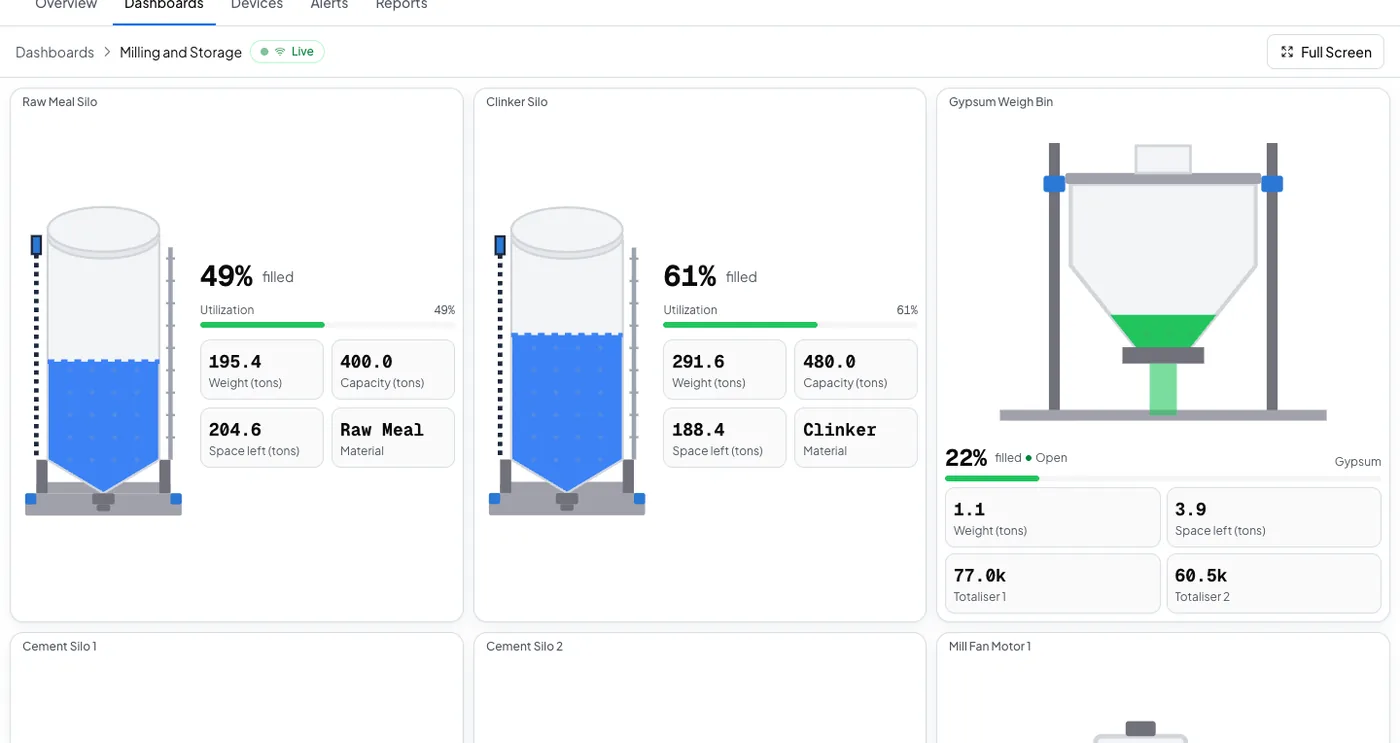
On your dashboard
Frequently asked questions
Open the silo's Triggers tab, select Browse presets, and add Nearly full. It reads the same capacity the low stock presets read, so nothing extra is configured.
Ninety percent of the capacity you set for that silo, and it clears once the silo drops back to 80 percent. That gap is wide enough that one delivery does not flip the alert straight back off.
The rule's recipients, by push, email and the in-app inbox. Acknowledging stops the reminders. If nobody acts, the escalation ladder tells the next person on the list.
Stop the next overfill before it happens
Set the silo's capacity once, and add the Nearly full preset from the Triggers tab.