A belt that stops
does not wait to be found.
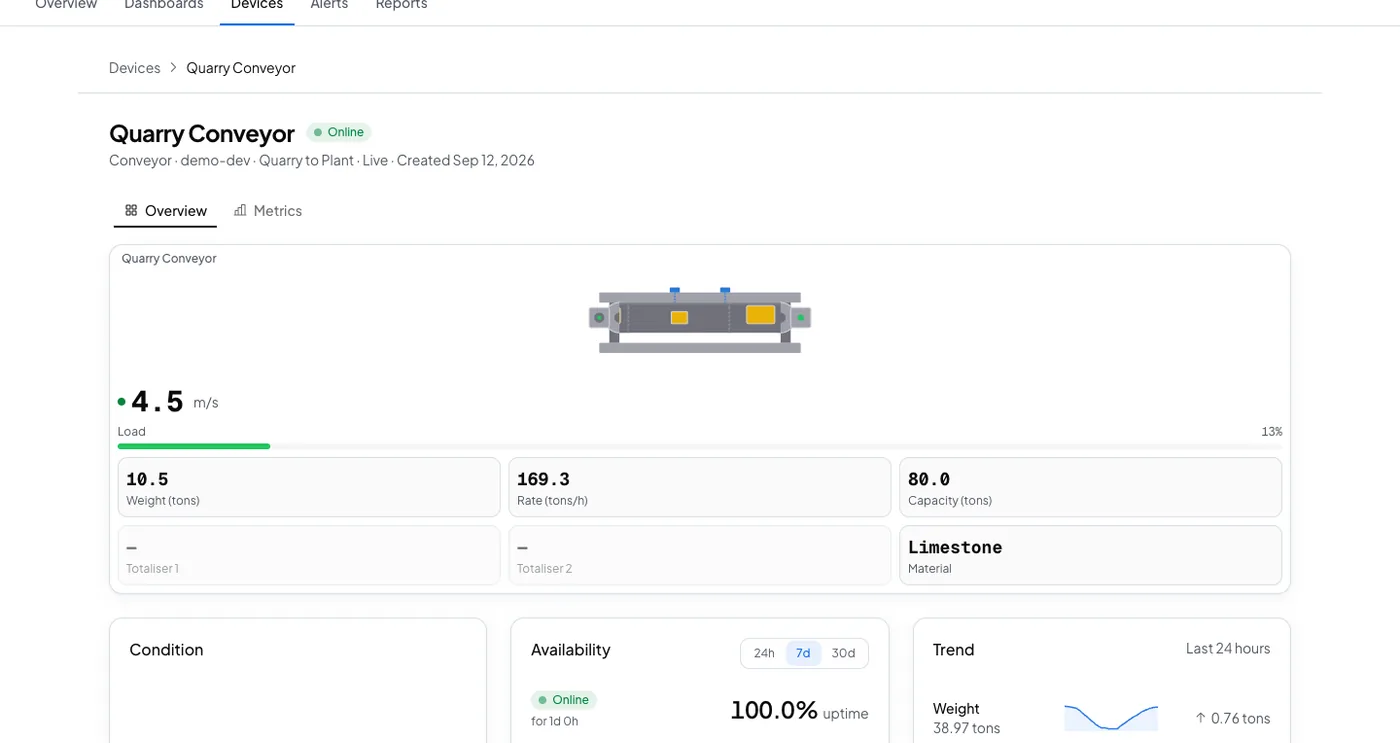
The speed sensor on the tail pulley already knows the belt is standing. Logable waits fifteen minutes so a planned stop does not fire it, then tells whoever is on shift.
Equipment
One weighed belt, with a speed sensor on the tail pulley and a gateway on the indicator.
Conveyor
speed · rate
The reading
- Metric
- speed (m/s)
- Source
- the speed sensor on the tail pulley
- Cadence
- every ten seconds
The problem
Quarry Conveyor stops at 02:00. The next person into the control room finds it at 06:00, and four hours of production are gone.
Belt stopped
Add it from the belt's Triggers tab. It needs the belt's speed unit to be metres per second, which is what the preset compares against. Add it only to a belt that is meant to run continuously.
standing
Fires when belt speed drops near zero and stays there for 15 minutes straight, so a quick planned stop won't set it off.
The response
Somebody walks to the line. The alert names the belt, so the walk starts at the right conveyor.
- Sent by
- push, email and the in-app inbox
- Who is told
- the rule's recipients
- Stops when
- somebody acknowledges
On your dashboard
Frequently asked questions
Open the belt's Triggers tab, select Browse presets, and add Belt stopped. The belt's speed unit has to be metres per second, because that is the unit the preset compares against.
Fifteen minutes straight, with belt speed near zero the whole time. A short planned stop does not reach that, which is why the dwell is there.
The rule's recipients, by push, email and the in-app inbox. Acknowledging stops the reminders, so a planned stop costs one notification rather than a stream.
Put this alert on your own belt
Connect the indicator through a gateway, set the speed unit, and add the preset.