An overloaded belt
is slowed before the gearbox pays.
The load cell under the weighed span measures what the belt is carrying. Logable compares it to the rated maximum you set and raises the alert with room to act.
Equipment
One weighed belt, with a load cell under the weighed span and a rated maximum load on the device.
Conveyor
weight · rate
The reading
- Metric
- weight (t)
- Source
- the load cell under the weighed span
- Cadence
- every ten seconds
The problem
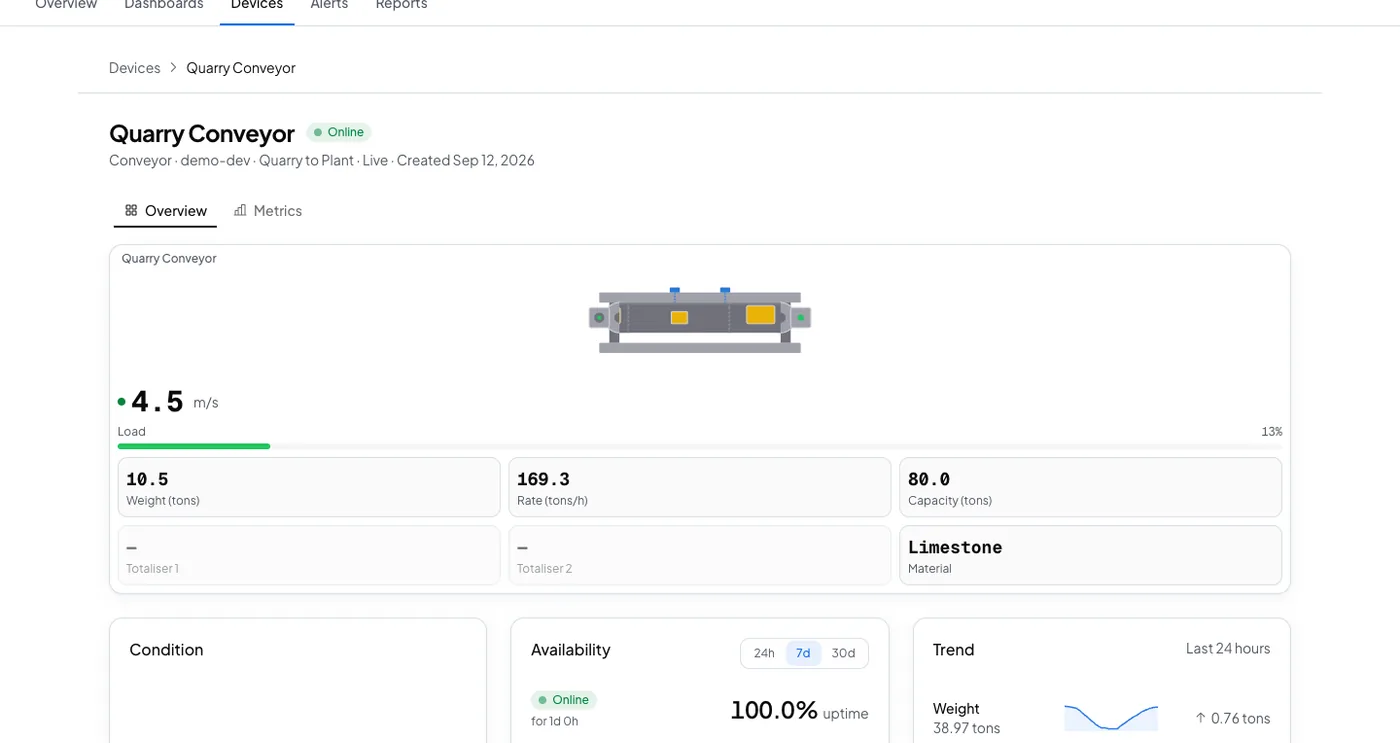
Quarry Conveyor carries 74 t against a rated 80 t because the feeder above it ran long. The gearbox and the drive motor take the strain, and the damage shows up weeks later as a bearing.
Belt overloaded
Add it from the belt's Triggers tab. It needs the belt's maximum weight, because the level it fires at is a share of that number.
carrying more than its rated load
Fires at 90% of the maximum belt load you set, and clears once load drops below 80%. That gap is wide enough that normal load swings won't reopen the alert.
The response
Somebody slows the feed before the belt. The alert names the belt and the load on it.
- Sent by
- push, email and the in-app inbox
- Who is told
- the rule's recipients
- Stops when
- somebody acknowledges
On your dashboard
Frequently asked questions
Open the belt's Triggers tab, select Browse presets, and add Belt overloaded. Set the belt's maximum weight on the device first, because that is what the preset measures against.
Ninety percent of the maximum belt load you set, and it clears once the load drops below 80 percent. That gap is wide enough that normal load swings do not reopen the alert.
The rule's recipients, by push, email and the in-app inbox. Acknowledging stops the reminders. If nobody acts, the escalation ladder tells the next person.
Put this alert on your own belt
Set the belt's rated maximum load once, and add the preset from the Triggers tab.