A dam at a quarter
stops the irrigation in time.
A sensor on the wall reads the surface every minute. Logable waits for four agreeing readings before it raises the alert, because a dam is a noisy instrument.
Equipment
One dam, with an ultrasonic sensor on the wall and a 4G router carrying the reading out.
Dam
level · distance
The reading
- Metric
- level (%)
- Source
- the ultrasonic sensor on the dam wall
- Cadence
- every minute
The problem
Settling Dam drops to 23 percent over a dry week while the pumps keep drawing. The first sign anyone gets is a pump running on air.
Low water level
Add it from the dam's Triggers tab. The 25 percent it fires at is a general default rather than a number tuned to how your dam is run, so change it once you know your own working range.
low on water
Fires at 25% of full supply level. It needs four matching readings before it fires or clears, because dam sensors are noisier than most. A single odd reading can't trigger a false alert or a false all-clear.
The response
The farmer stops irrigating, or starts pumping to refill.
- Sent by
- push, email and the in-app inbox
- Who is told
- the rule's recipients
- Stops when
- somebody acknowledges
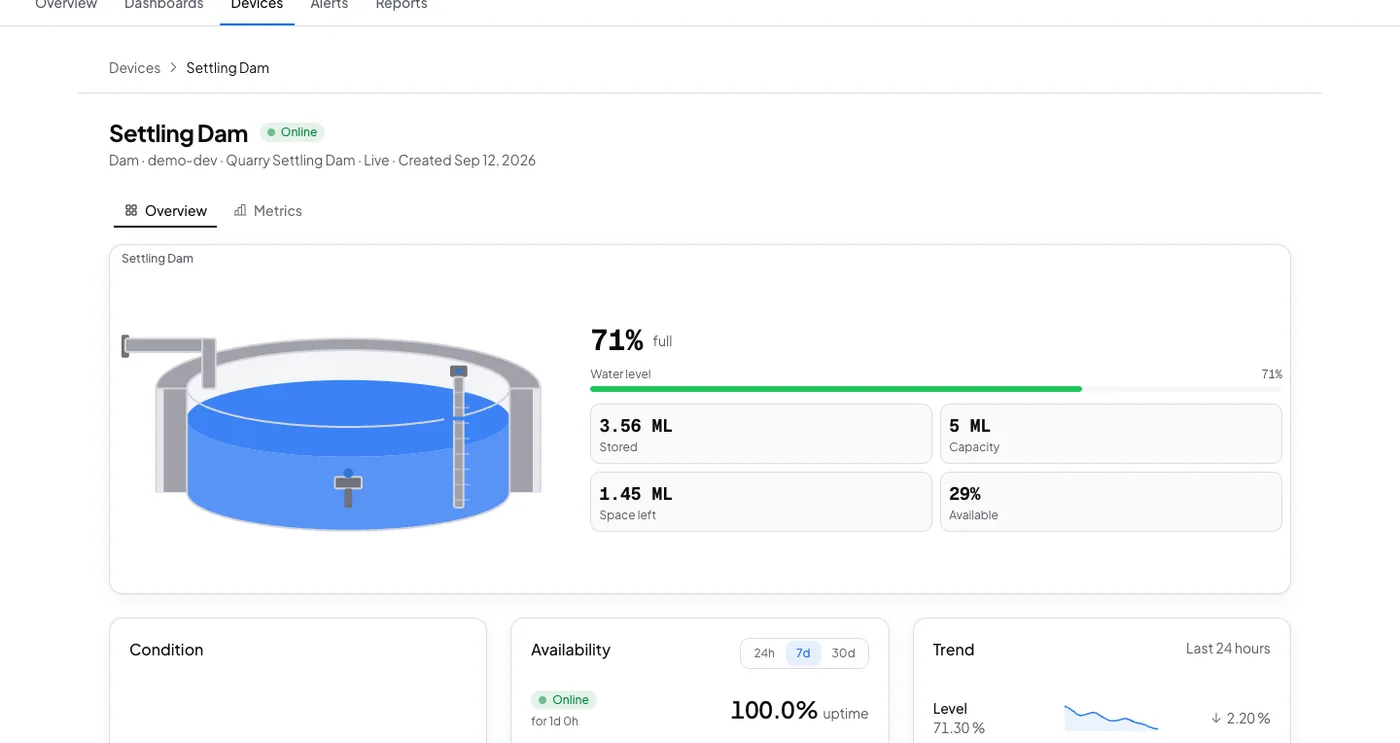
On your dashboard
Frequently asked questions
Open the dam's Triggers tab, select Browse presets, and add Low water level. Set the dam's shape and full supply capacity on the device first, so the level and the stored volume both read correctly.
Twenty five percent of full supply level, and it clears at 40 percent. That threshold is a general default and not tuned to how your dam is normally run, so treat it as a starting point.
The rule's recipients, by push, email and the in-app inbox. It waits for four matching readings before it fires, so a single odd reading cannot raise it. Acknowledging stops the reminders.
Put this alert on your own dam
Connect the level sensor through a 4G router, set the shape and capacity, and add the preset.